Network

Direct or relay: you see the path

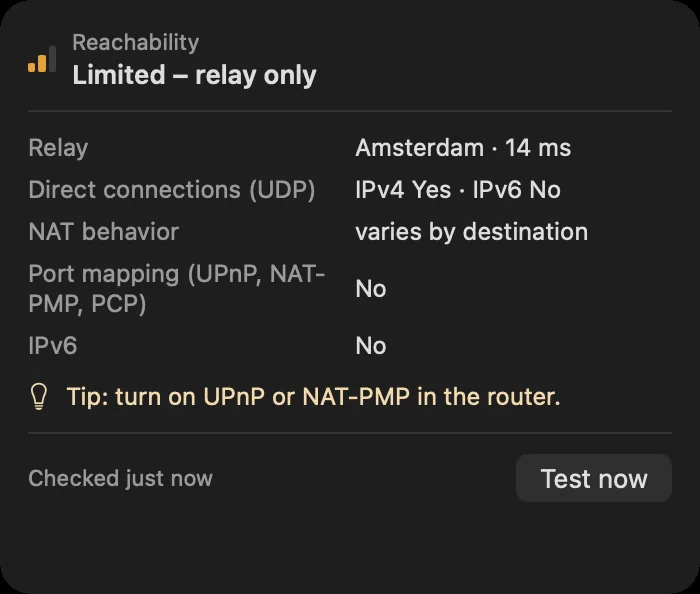
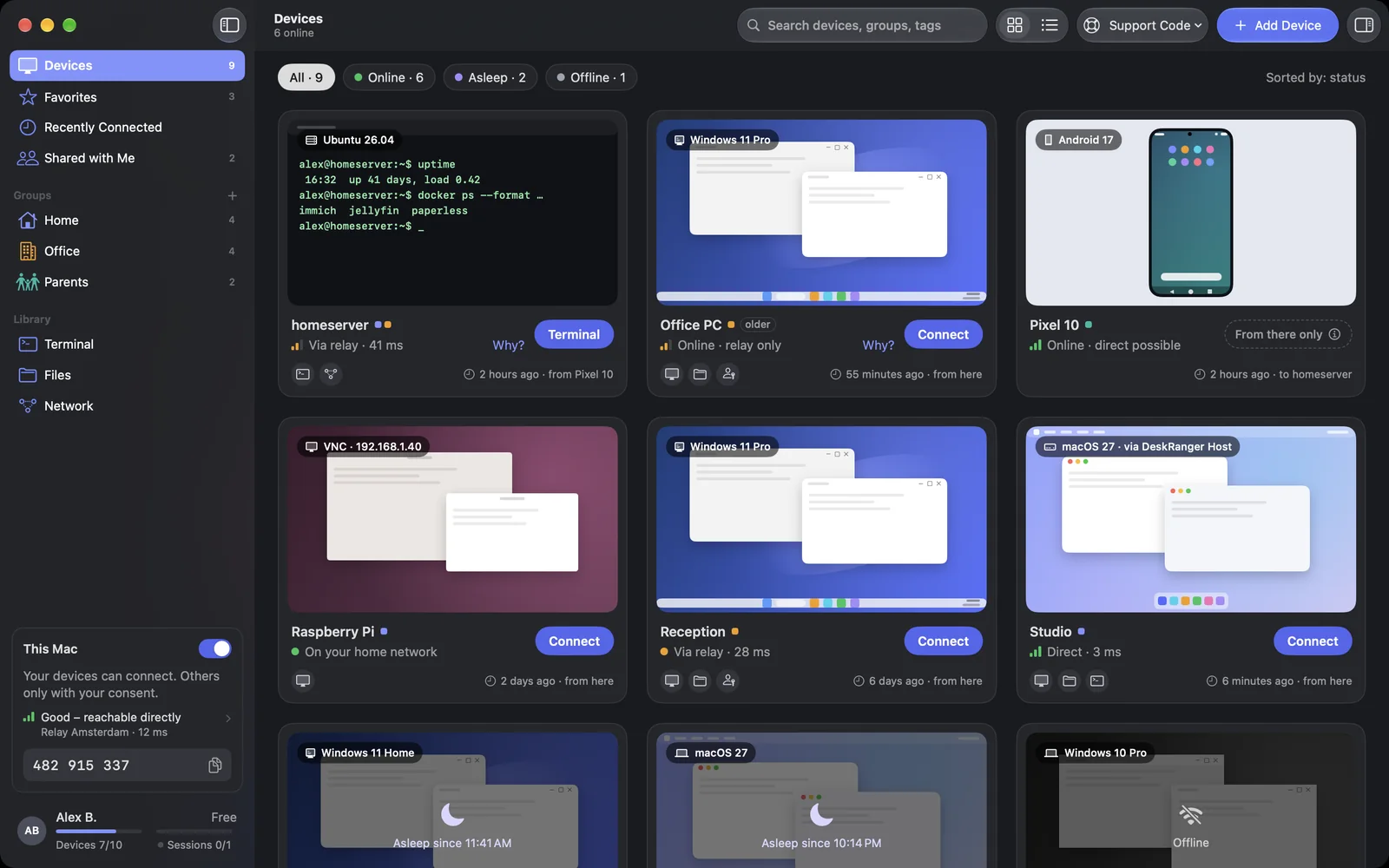
Every connection shows whether it runs directly or through a relay, and if not directly, why and what helps. Both are end-to-end encrypted.

FreemacOS · Windows · Linux · Android · iOS / iPadOS
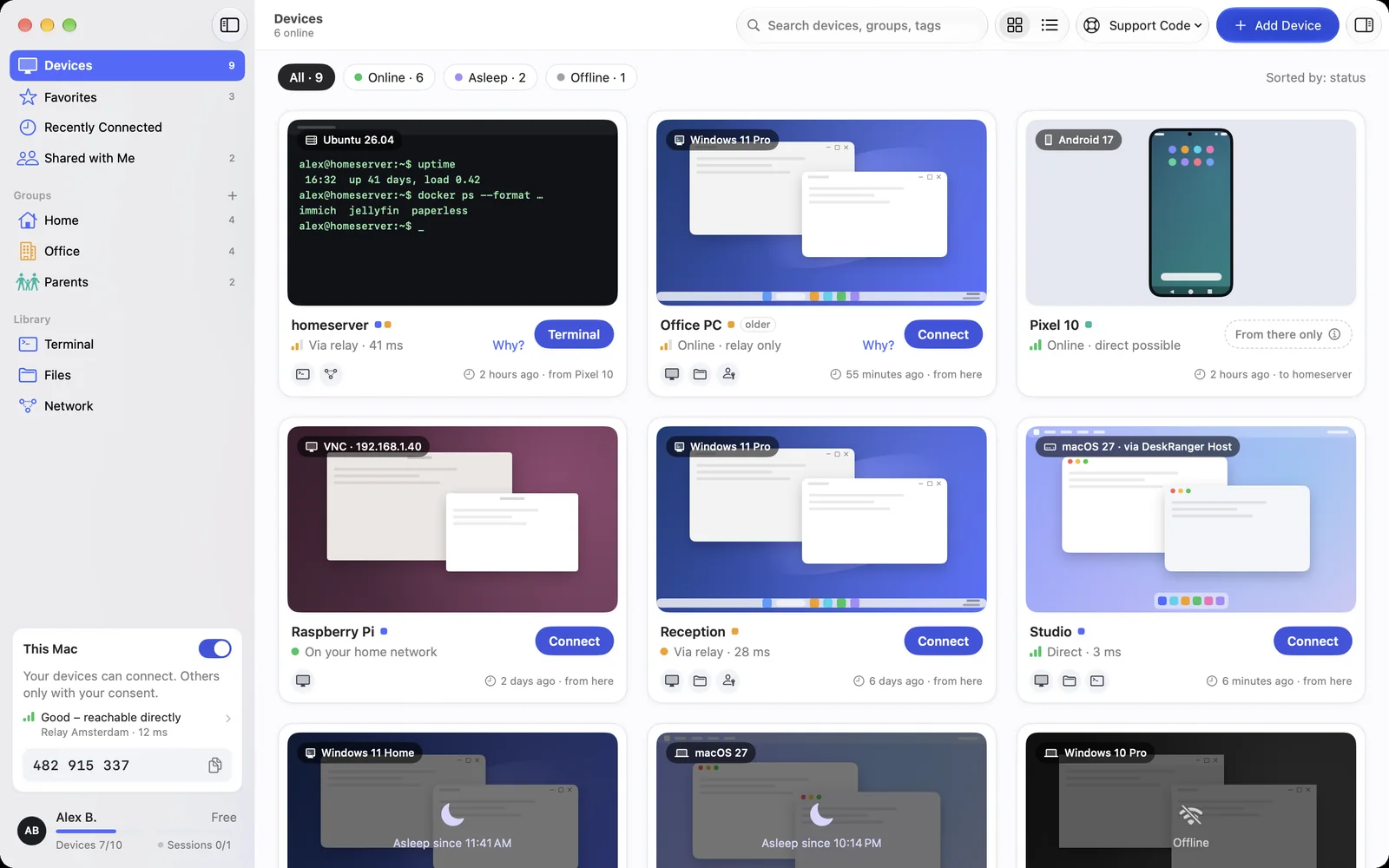
A device card with a relay path and the “Why?” linkA device card with a relay path and the “Why?” link

Shown: Mac

What you do with it

See it on

Browser

Direct or relay

DeskRanger prefers to connect two devices directly. If that does not work, the connection runs through a relay, which only forwards encrypted data and cannot read it.

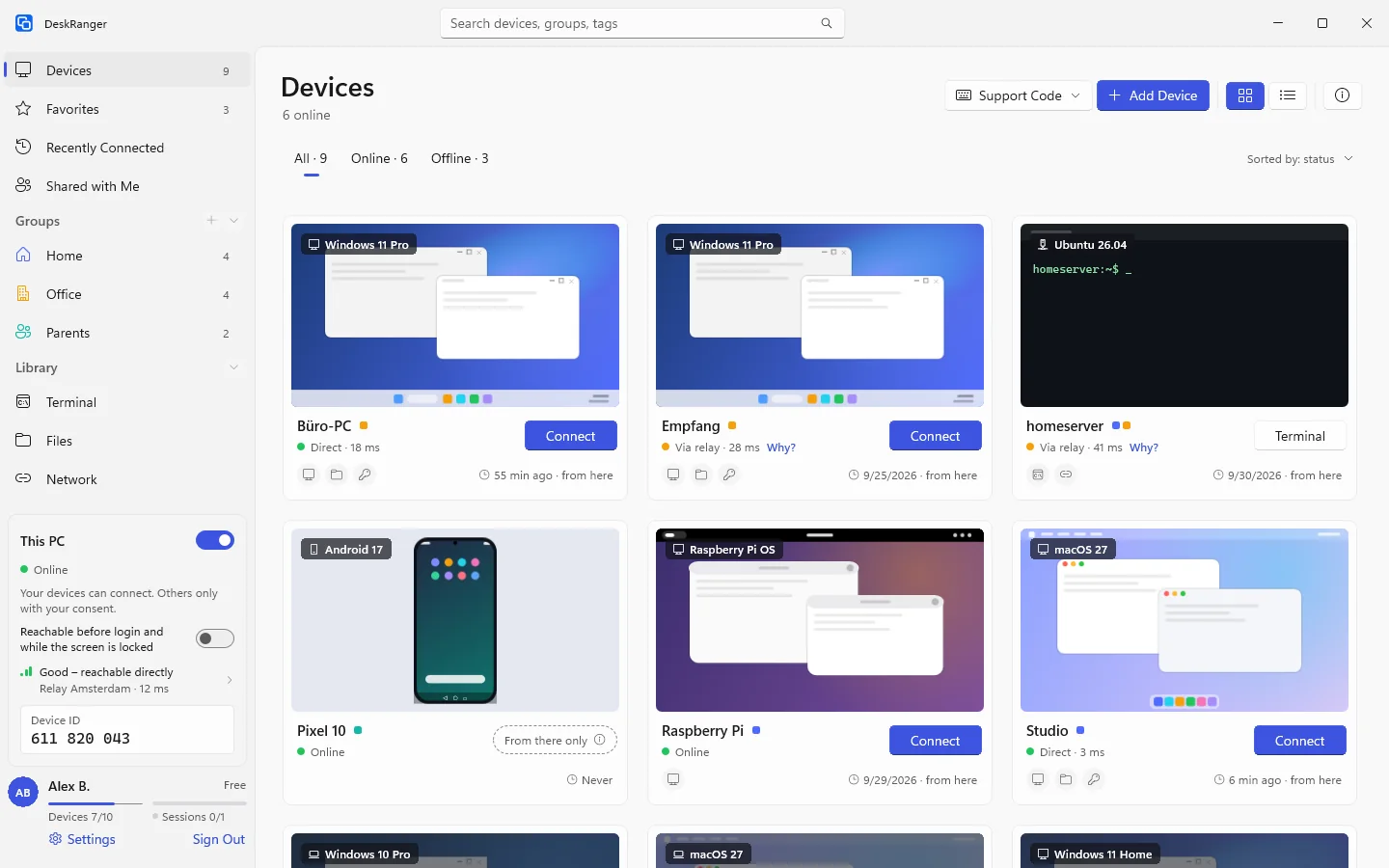
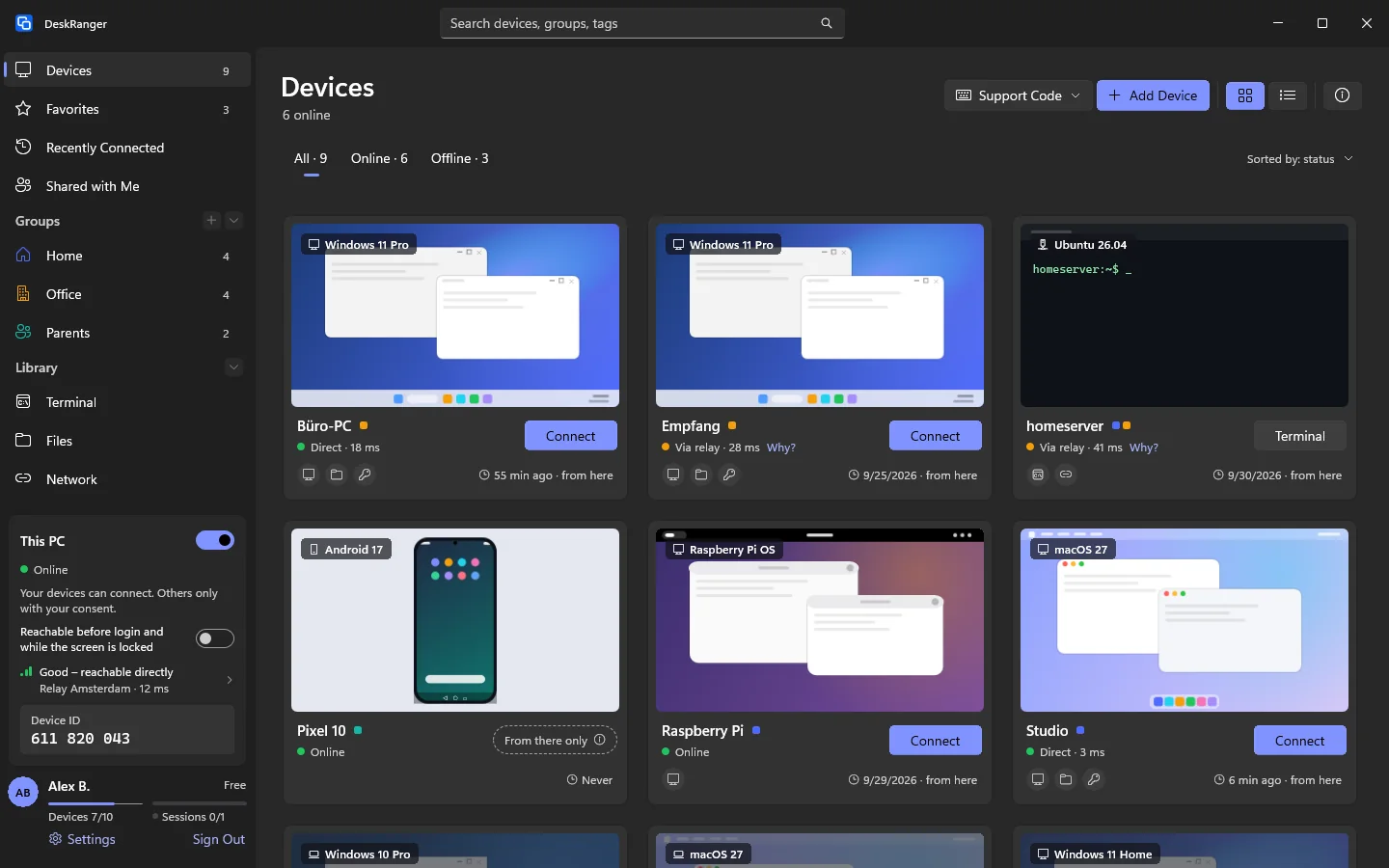
  • On a device’s card you see which path you have
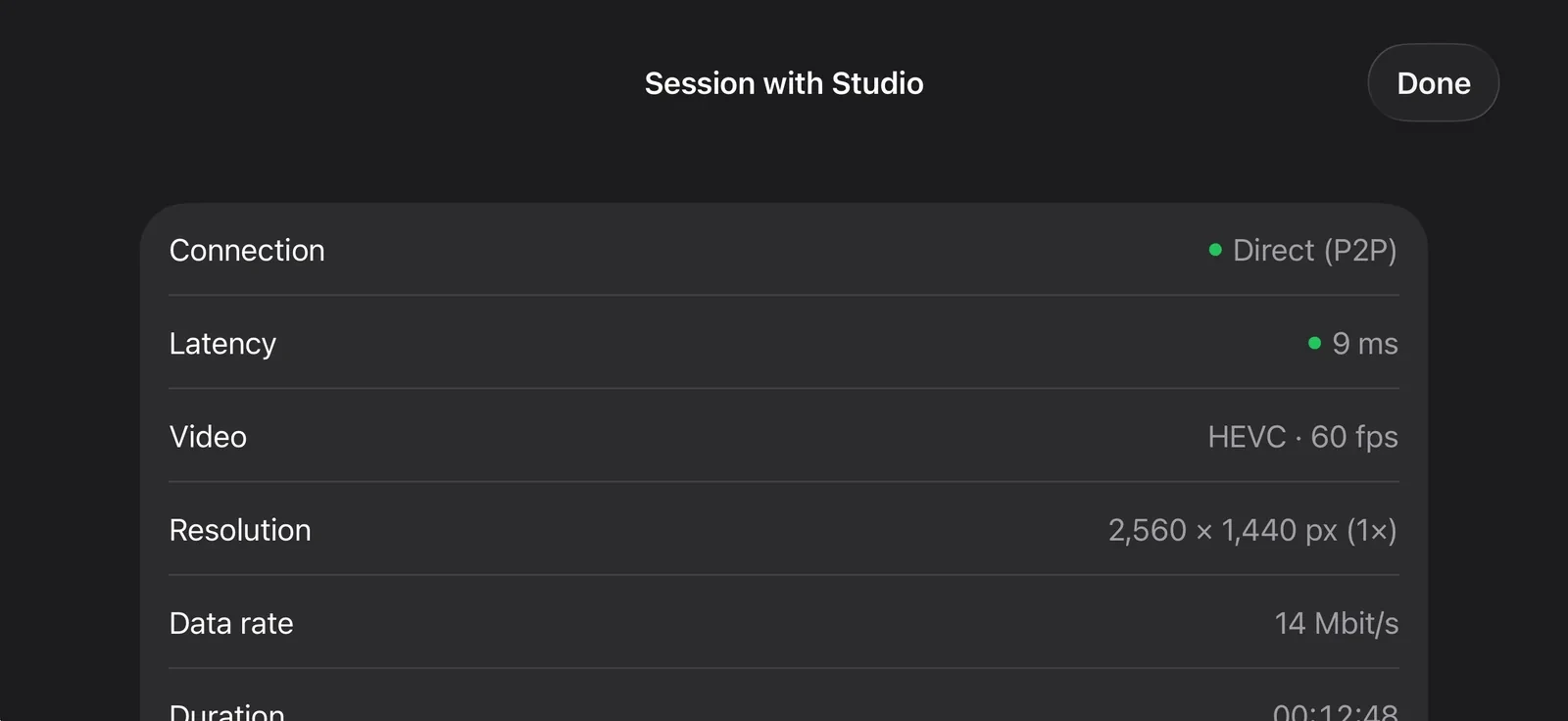
  • The session details name the kind: same network, IPv4, IPv6 or relay
  • In the browser a session always runs through a relay
Connection details: direct or through a relay, end-to-end encryptedConnection details: direct or through a relay, end-to-end encrypted

Shown: Mac

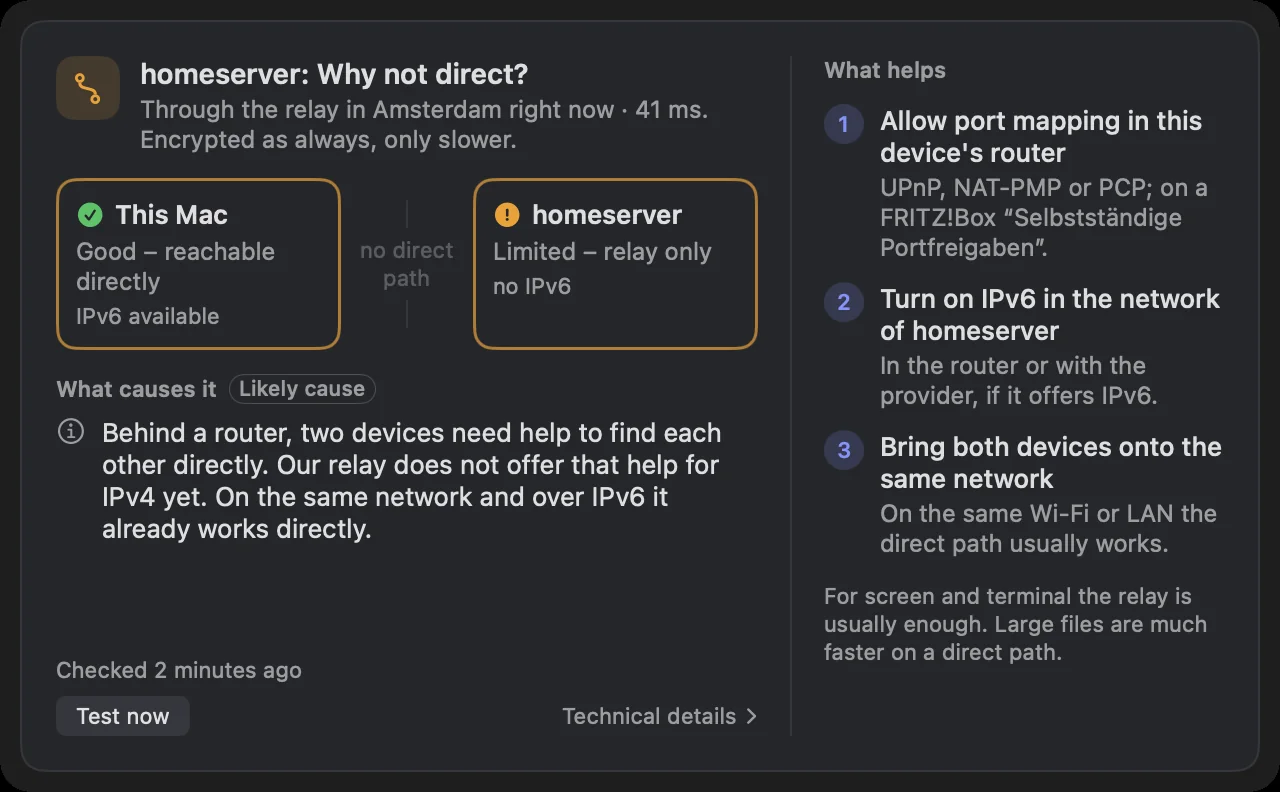
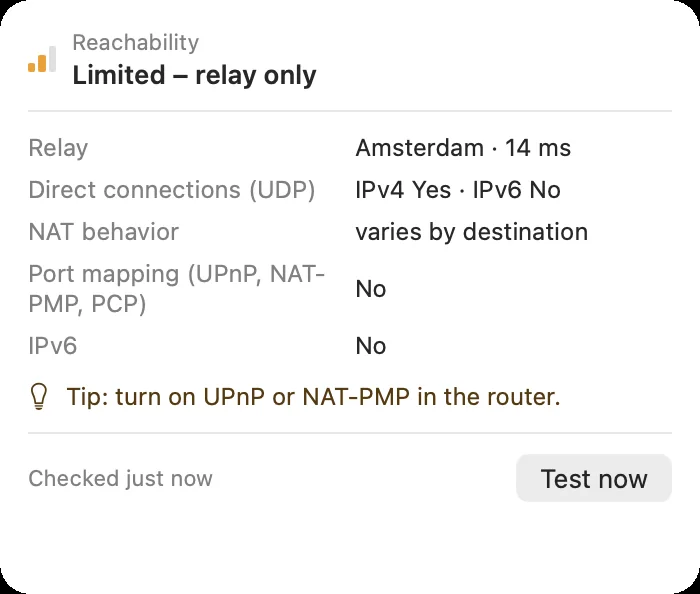
“Why not direct?”

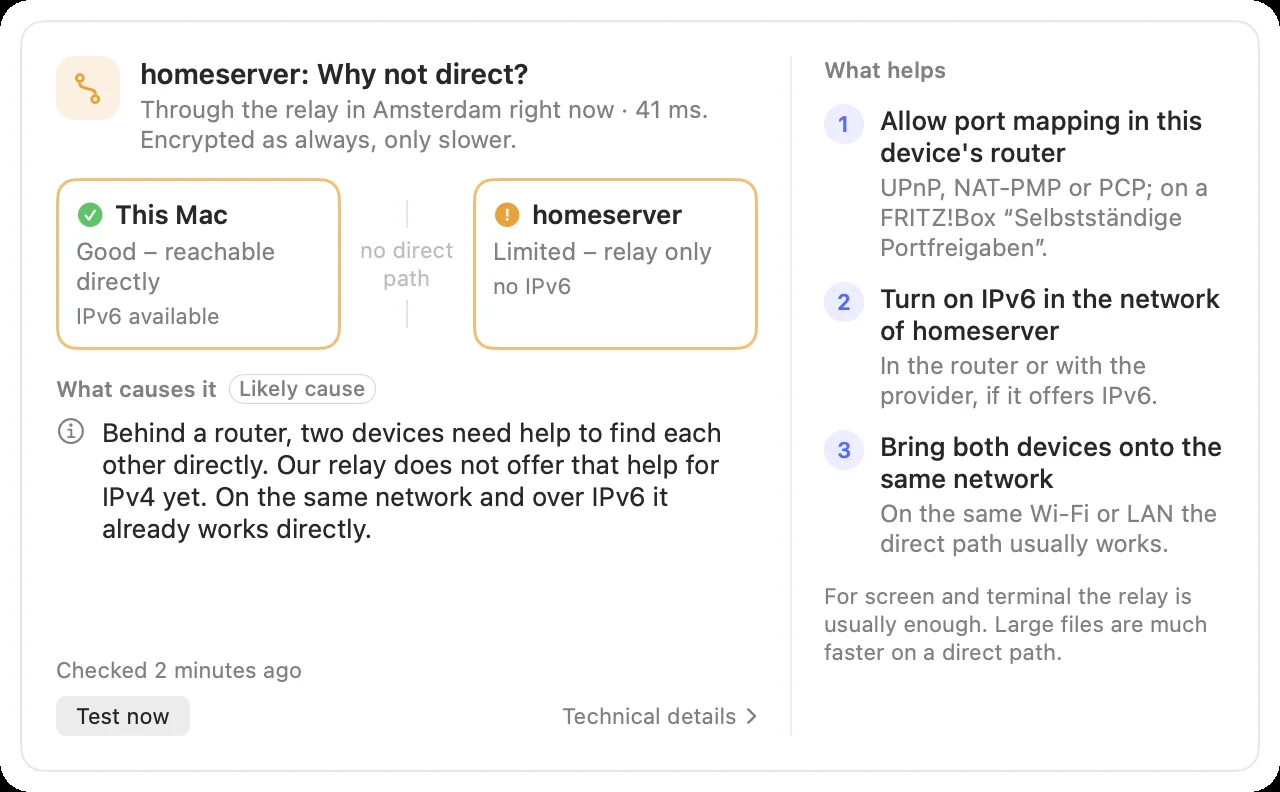
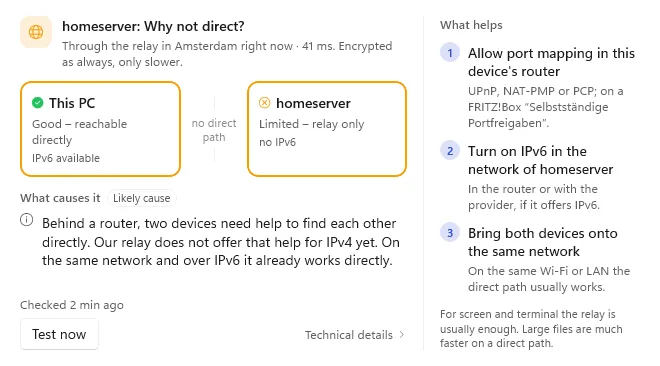
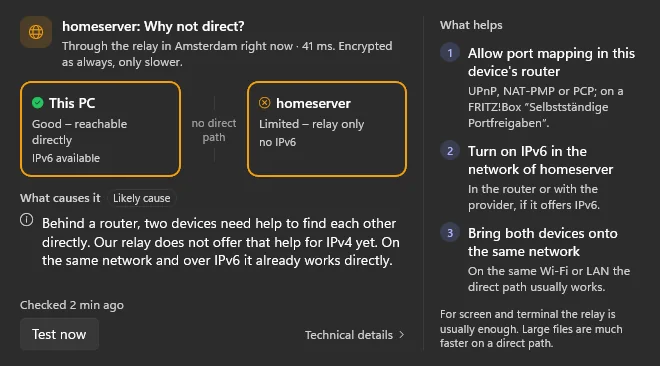
You learn why a connection runs through the relay: next to the relay path there is the link “Why?”. The window shows both ends of the connection side by side, the likely cause and at most three things you can do.

  • The cause is an estimate; whatever is inferred carries a note
  • “Test now” measures again, for example after you changed something
  • On request the window shows the measured values of both devices
“Why not direct?”: both ends, the likely cause and what helps“Why not direct?”: both ends, the likely cause and what helps

Shown: Mac

You do not have to touch the router

Everything works through the relay. A port mapping in the router can open a direct path; DeskRanger only suggests it when it could really help.

  • On a FRITZ!Box: “Allow independent port mappings for this device”
  • Covers the whole device, not just DeskRanger: allow it only for your own devices
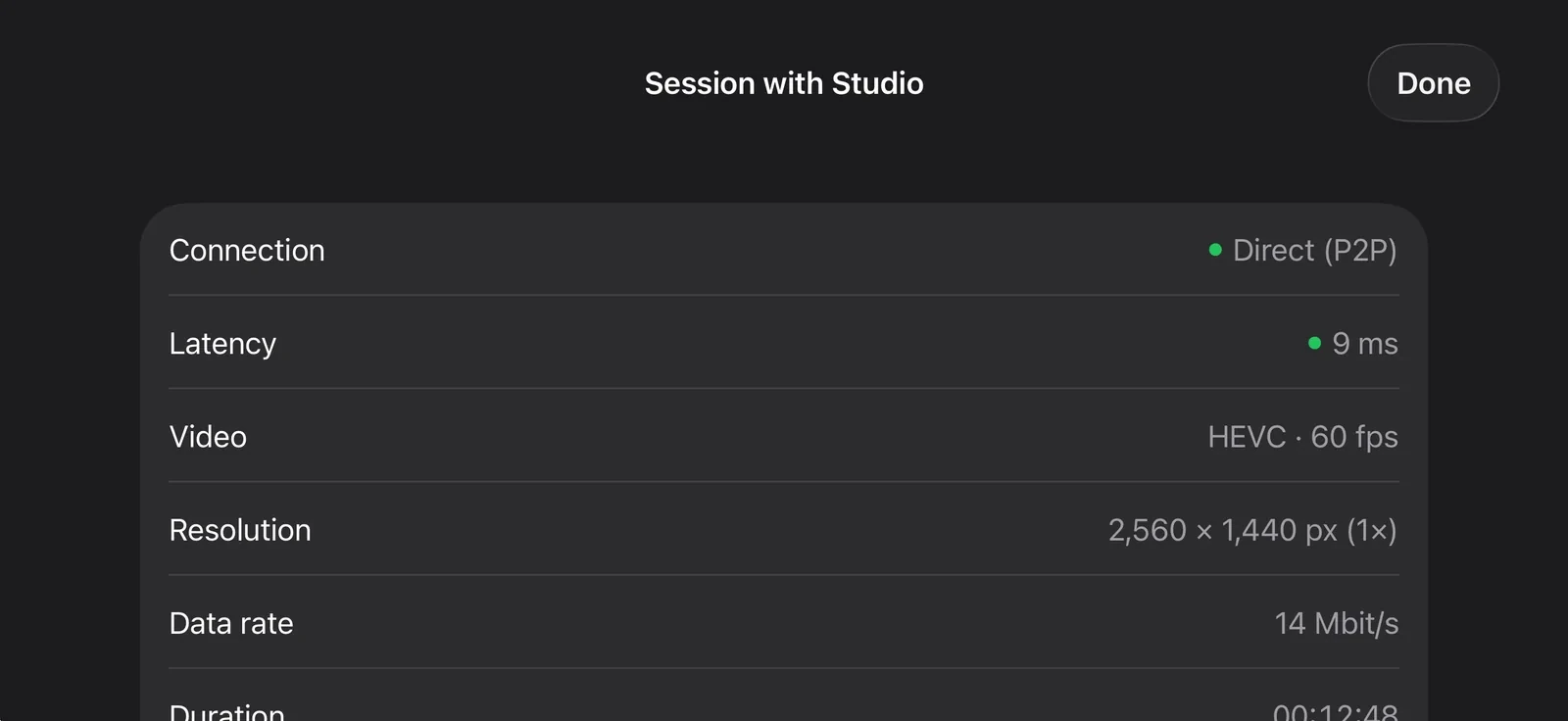
Connection details: direct or through a relay, end-to-end encryptedConnection details: direct or through a relay, end-to-end encrypted

Shown: Mac

Speed through the relay

Through the relay DeskRanger keeps the connection slightly below the relay bit rate of your plan. The picture may get softer, but the session is never ended because of that. Direct connections are never limited.

  • The session details read “Via relay · up to … Mbit/s”
  • That is often enough for screen and terminal; large files are faster directly

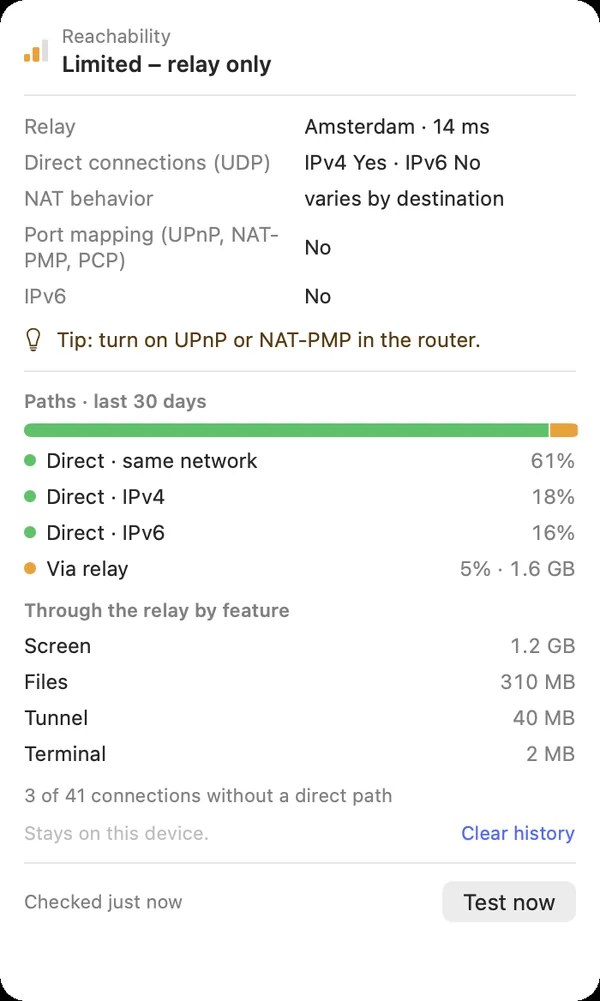
Paths of the last 30 days

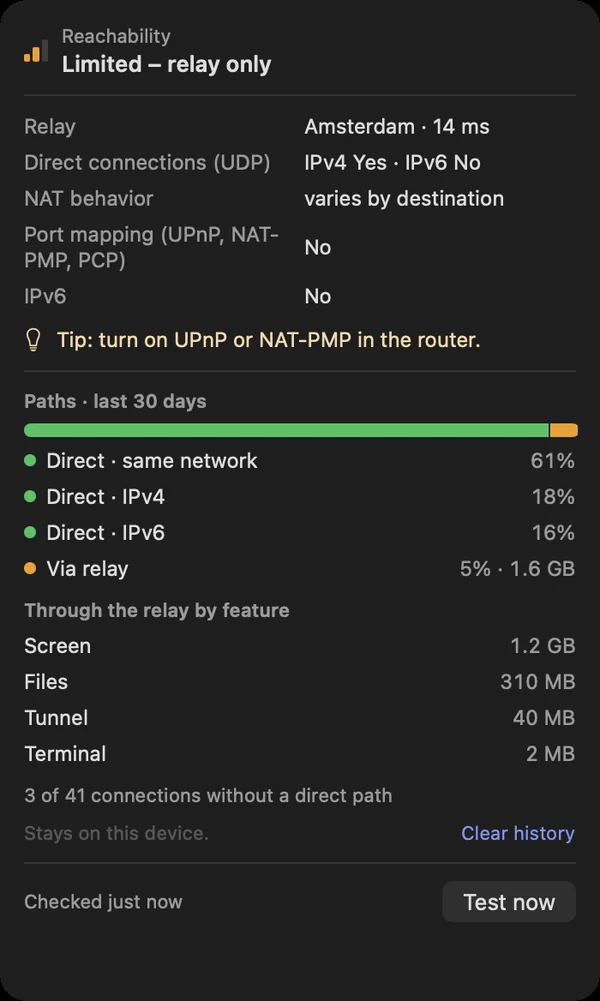
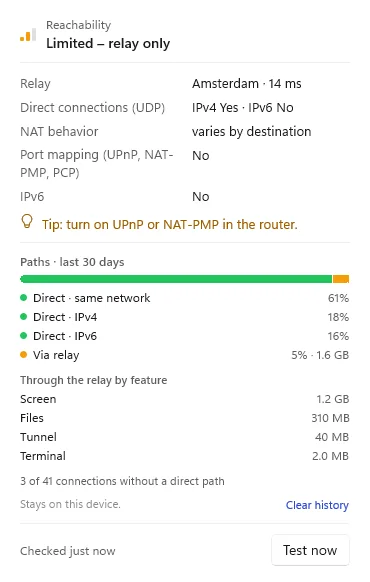
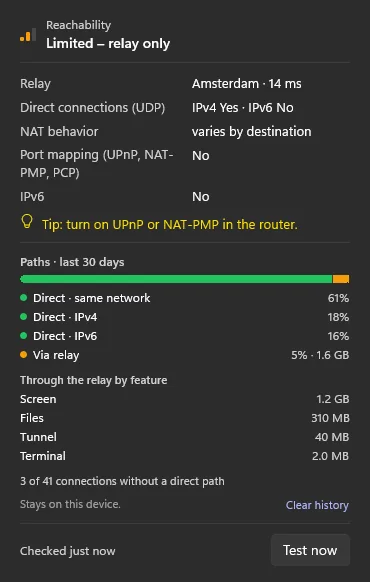
“Paths · last 30 days” shows which share of your connected time ran directly and which through the relay, and how much data went through the relay, split into screen, apps, files, terminal and tunnels.

  • The history stays on this device
  • It holds no addresses, device names or identifiers, only counters
  • One click clears it
“Paths · last 30 days”: shares direct and through the relay, and relayed data per feature“Paths · last 30 days”: shares direct and through the relay, and relayed data per feature

Shown: Mac

अक्सर पूछे जाने वाले प्रश्न

Can the relay read my session?

No. It only sees encrypted data, the addresses of the two devices and their public keys, has no key to decrypt and stores no content.

How much slower is a relay?

Through the relay a connection is usually a bit slower. That is often enough for screen and terminal, large files are much faster directly.