Help › Functions
Direct or through the relay: Why not direct?
See whether your connection runs directly or through the relay, what the cause is and what helps.
DeskRanger prefers to connect two devices directly. When that does not work, the connection goes through a relay. Both are end-to-end encrypted: the relay only forwards encrypted data and cannot read it. Through the relay a connection is usually a bit slower. For screen and terminal that is often enough; large files are much faster on a direct path.
Where you see the path
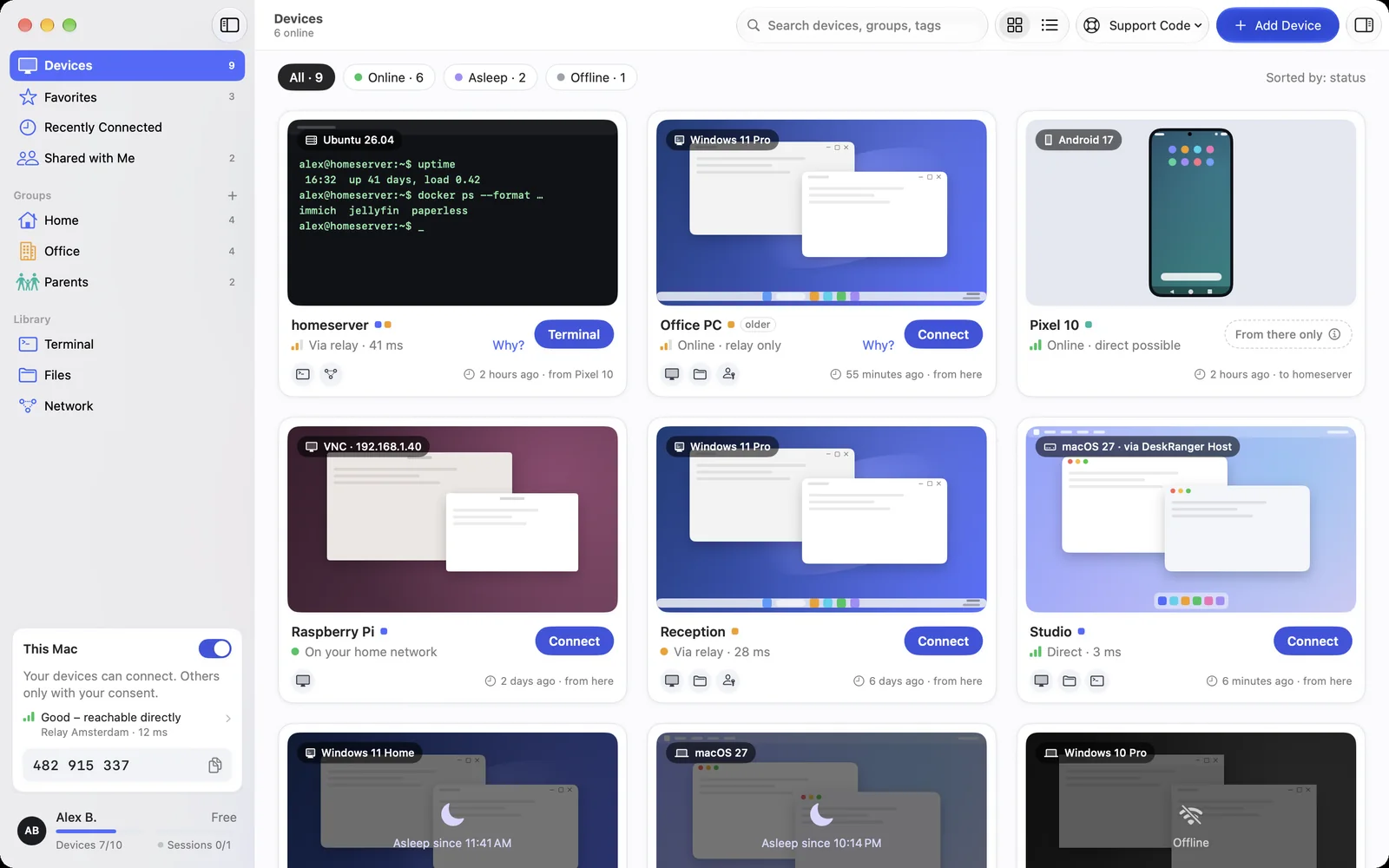
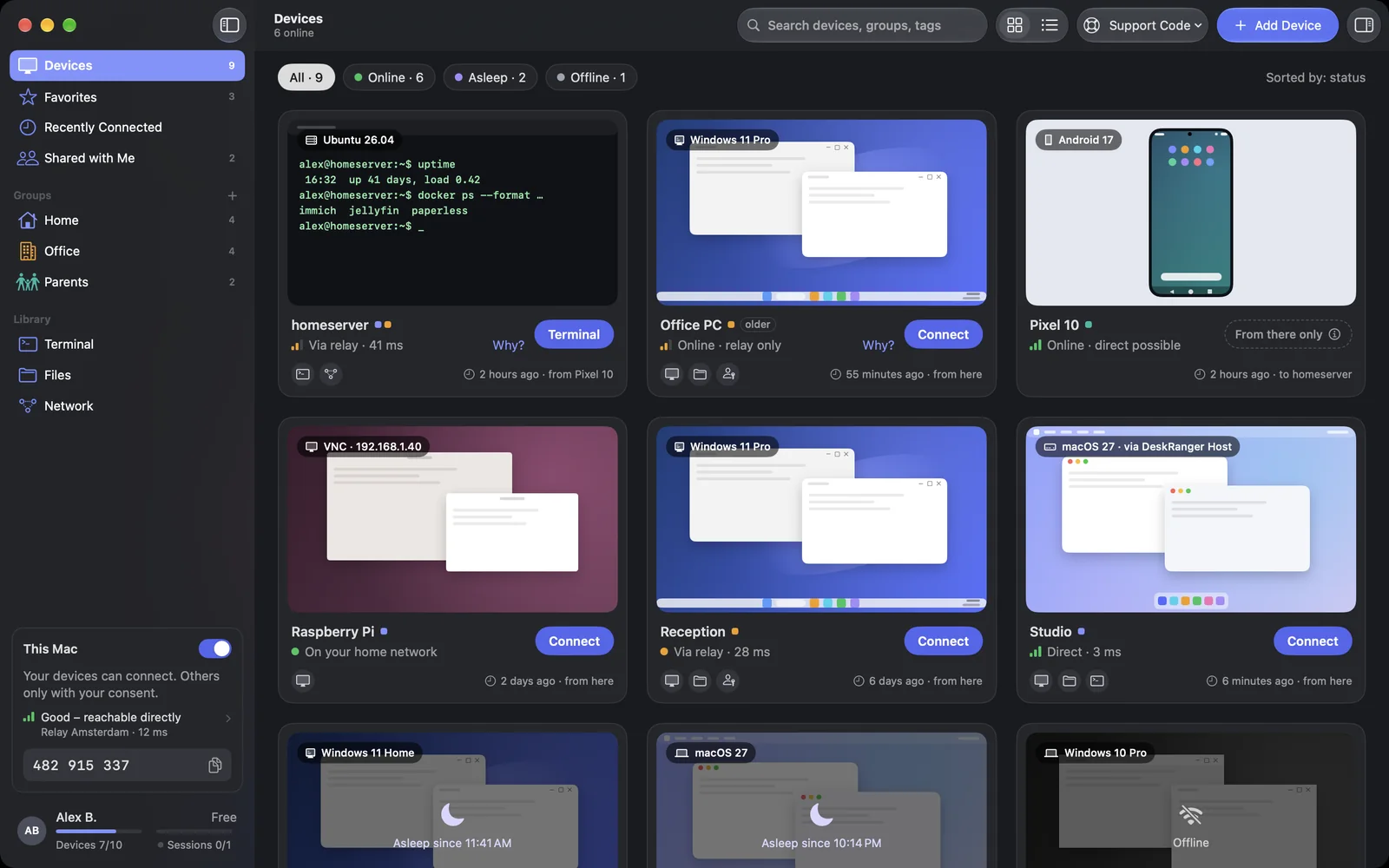
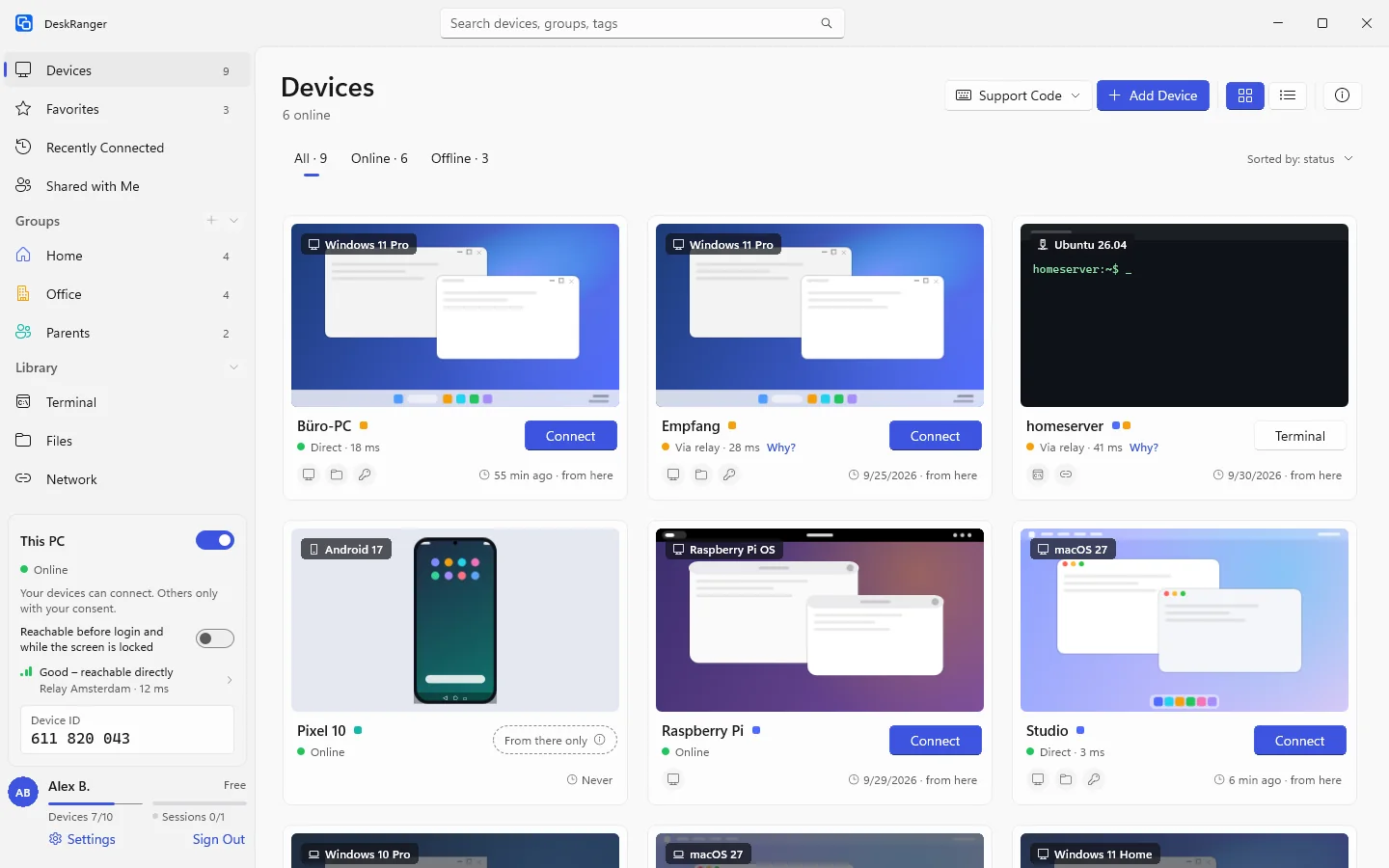
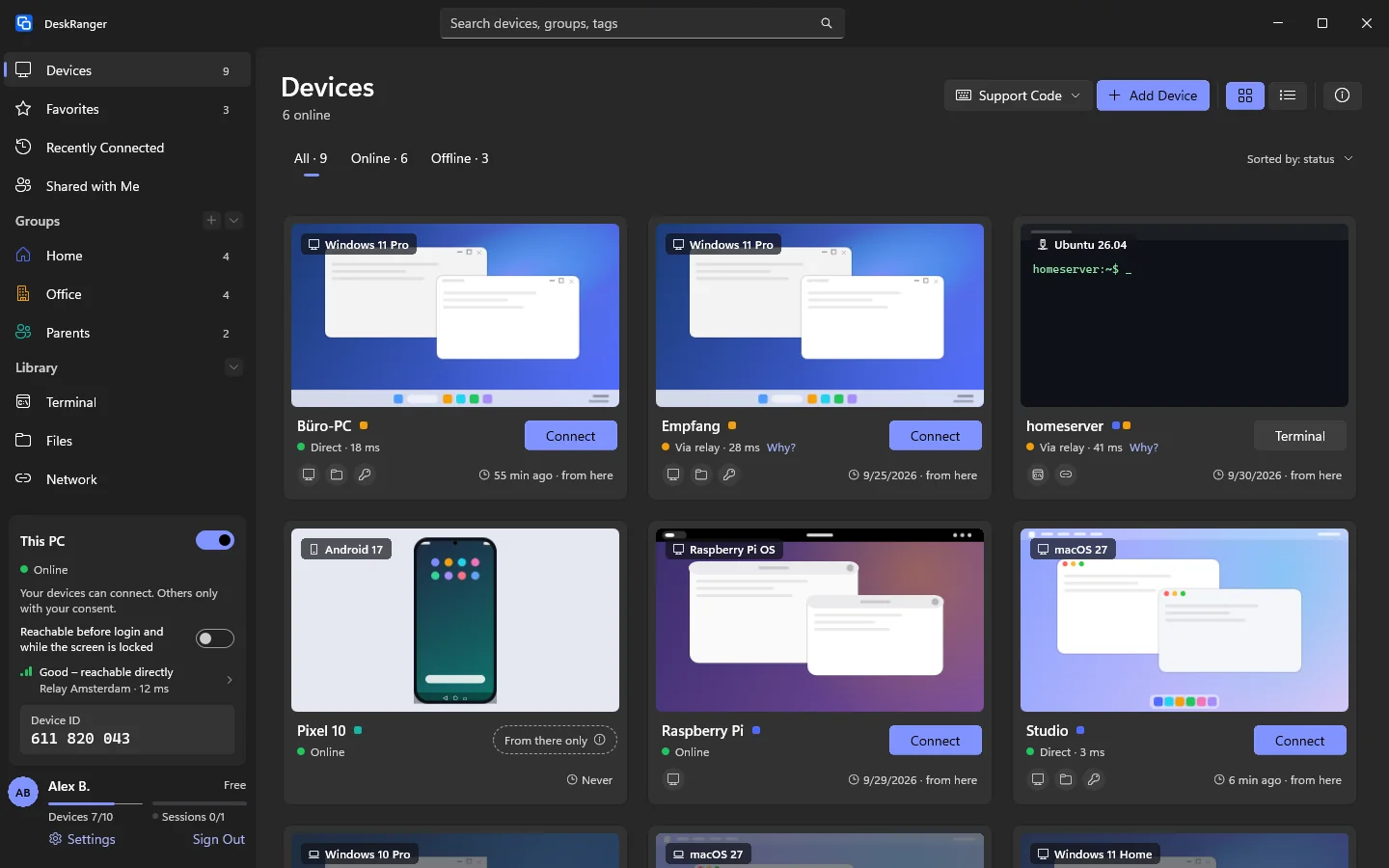
A device's card shows whether you reach it directly or through the relay. In a session's details the path also names the kind of direct connection: Direct · same network, Direct · IPv4 or Direct · IPv6. When the connection runs through the relay, it says Via relay.
macOS
Windows
iPhone & iPad
This function is planned for iPhone & iPad.
“Why not direct?”
When a connection runs through the relay, the link Why? appears next to it. It opens Why not direct?.
macOS
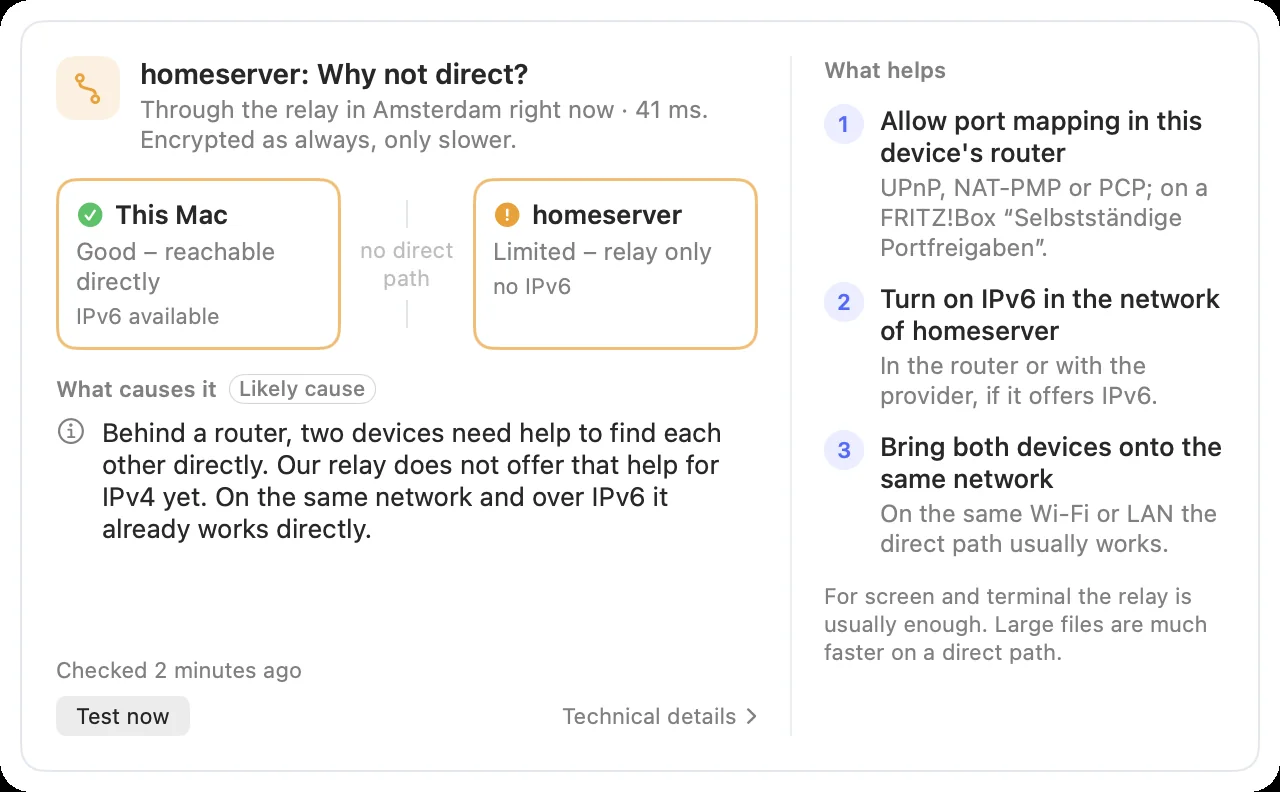
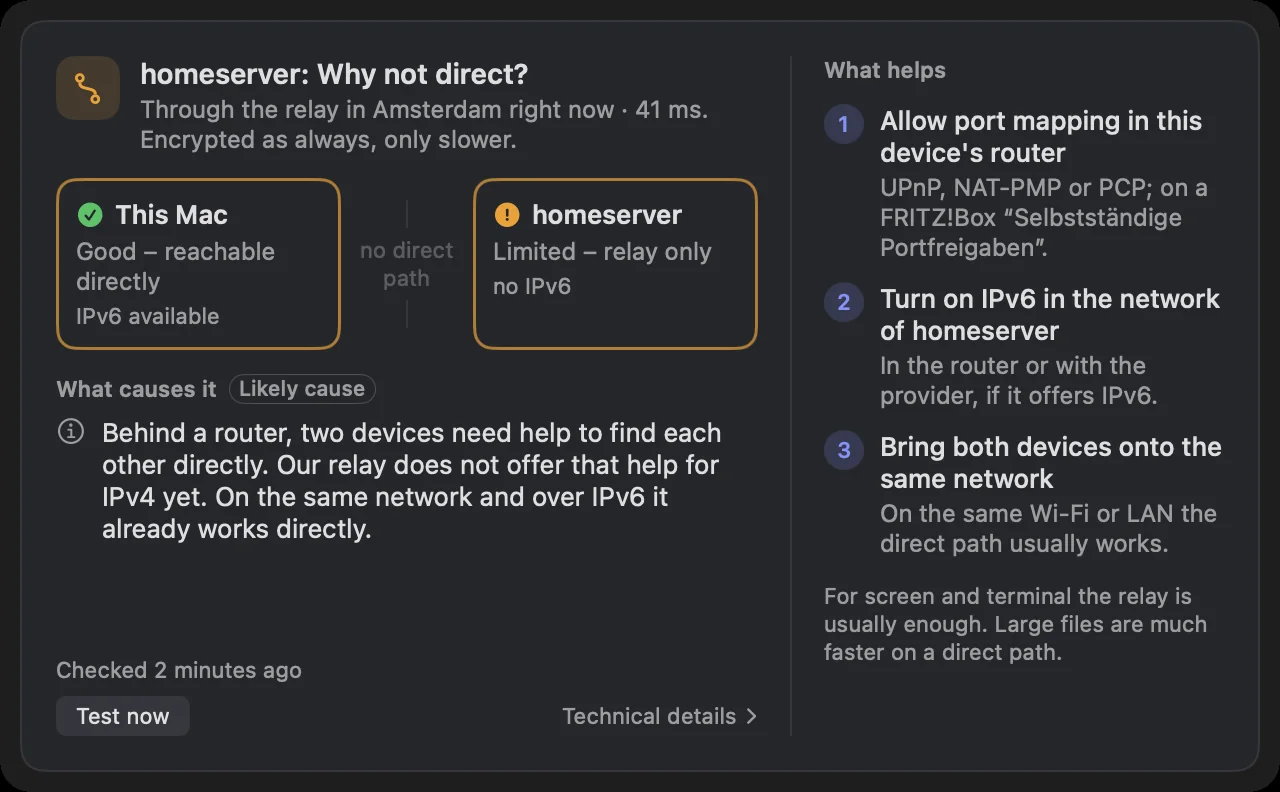
For a device on a relay path, click Why? on the card, in the list or in the session's details.
Windows
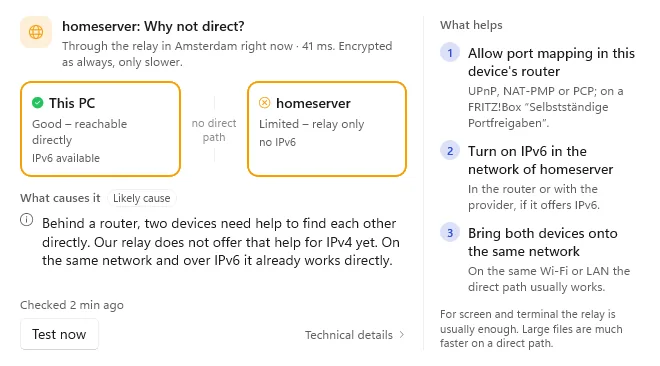
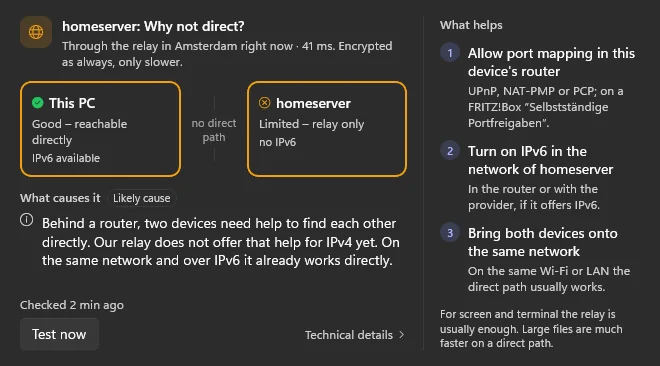
For a device on a relay path, click Why? on the card or in the list. In a session's side panel the details show the link Why not direct? at the connection. The window opens right at the link and closes by itself as soon as the path no longer runs through the relay.
iPhone & iPad
This function is planned for iPhone & iPad.
The window shows both ends of the connection side by side, this device and the other one, each with Good – reachable directly or Limited – relay only and what DeskRanger knows about the network there. The end where it gets stuck has a highlighted border.
Under What causes it you find the likely cause. That is an assessment, not proof: where DeskRanger only infers it from the measurements, it carries the note Likely cause. Below it, What helps lists at most three things you can do. Test now measures again, for example after you changed something. Technical details shows the measured values of both devices.
Common causes
- The connection is new. DeskRanger is still looking for a direct path.
- The direct path broke off, for example after a network change. DeskRanger keeps trying.
- This device's network does not allow direct connections (UDP is blocked). That is common in company and guest networks.
- Both devices seem to be on the same network but do not reach each other there. Guest Wi-Fi and some company networks keep devices apart.
- This device's router uses a different address for every destination. Two devices then often cannot find each other directly.
- Behind a router, two devices need help to find each other directly. Our relay does not offer that help for IPv4 yet. On the same network and over IPv6 it already works directly.
- Direct connections are switched off on this device for testing.
- DeskRanger cannot tell the cause for sure here. The technical details show what both devices measured.
Depending on which device is stuck, the window names this one or the other device.
What helps
The window only suggests what fits the cause, for example:
- Nothing to do: DeskRanger switches to the direct path by itself as soon as it is up.
- Allow port mapping in this device's router: UPnP, NAT-PMP or PCP; on a FRITZ!Box “Selbstständige Portfreigaben”.
- Allow UDP in this device's network: In the firewall or with the network's administrator.
- Use the main network instead of the guest network: Or allow devices on the Wi-Fi to reach each other in the router.
- Use the DeskRanger app instead of the browser: With the app, direct connections are possible.
Paths of the last 30 days
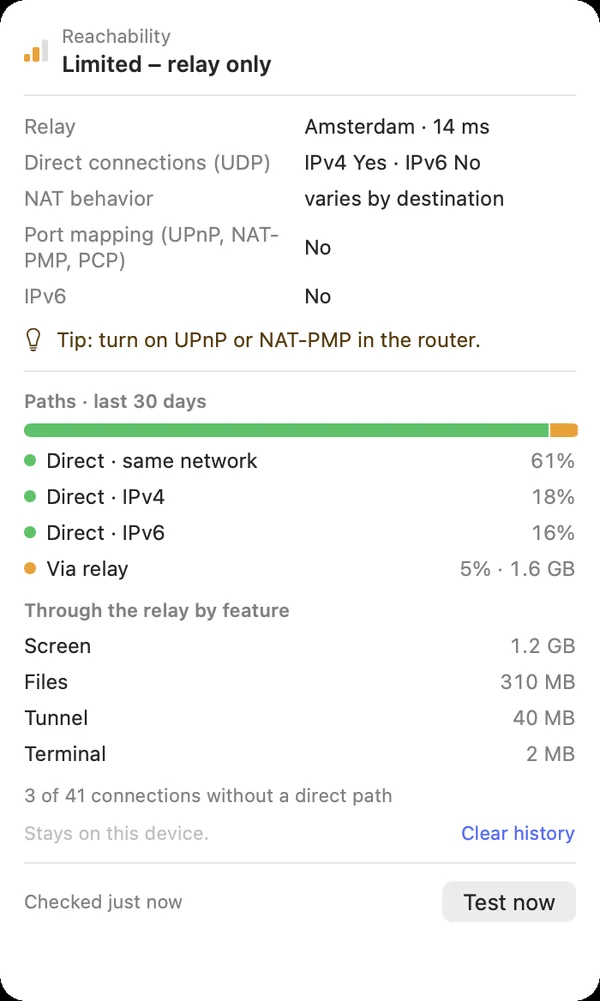
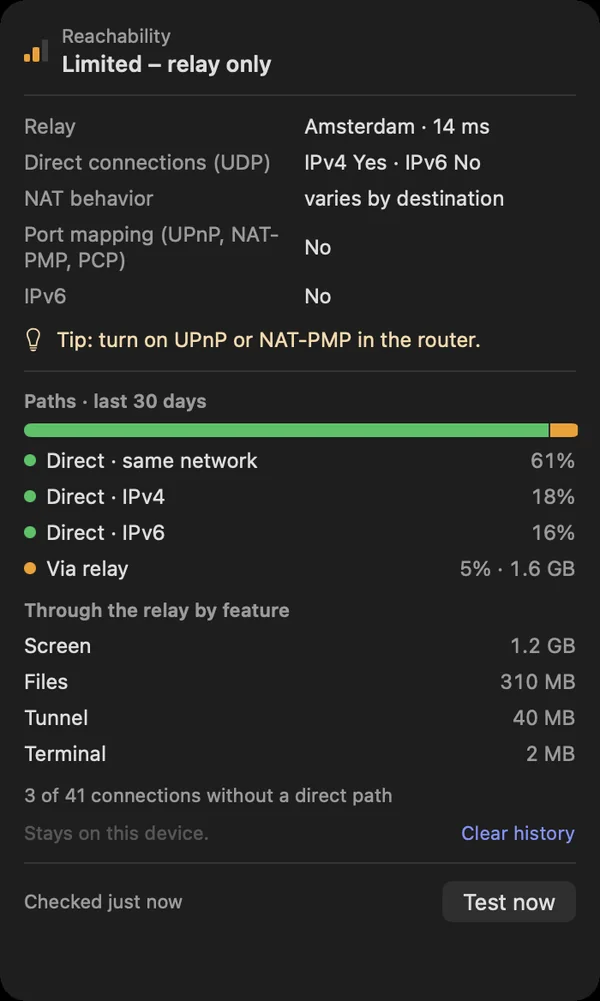
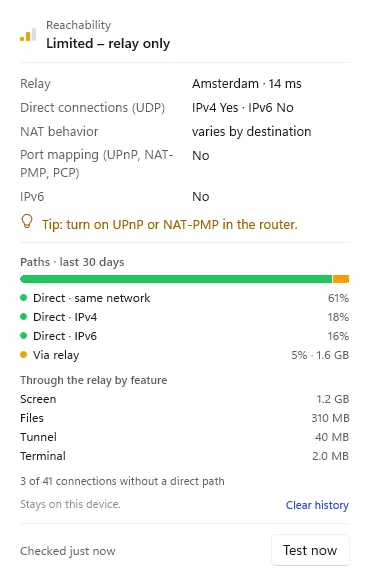
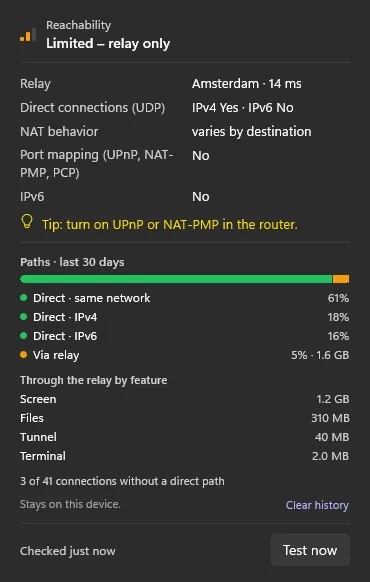
Paths · last 30 days shows how your connections were spread over the last 30 days: which share of the connected time ran directly (same network, IPv4 or IPv6) and which through the relay, and how much data went Through the relay by feature, split into screen, apps, files, terminal and tunnel.
macOS
You find it under This Mac at Reachability.
Windows
You find it under This PC: click the Reachability row in the sidebar.
iPhone & iPad
This function is planned for iPhone & iPad.
The history stays on this device. It holds no addresses, no device names and no ids, only counters. Clear history deletes it.