Control

Browser access

Open a session right in the browser, with nothing to install and the same end-to-end encryption as in the app. Remote access in the browser belongs to Pro, also in Early Access.

ProWeb
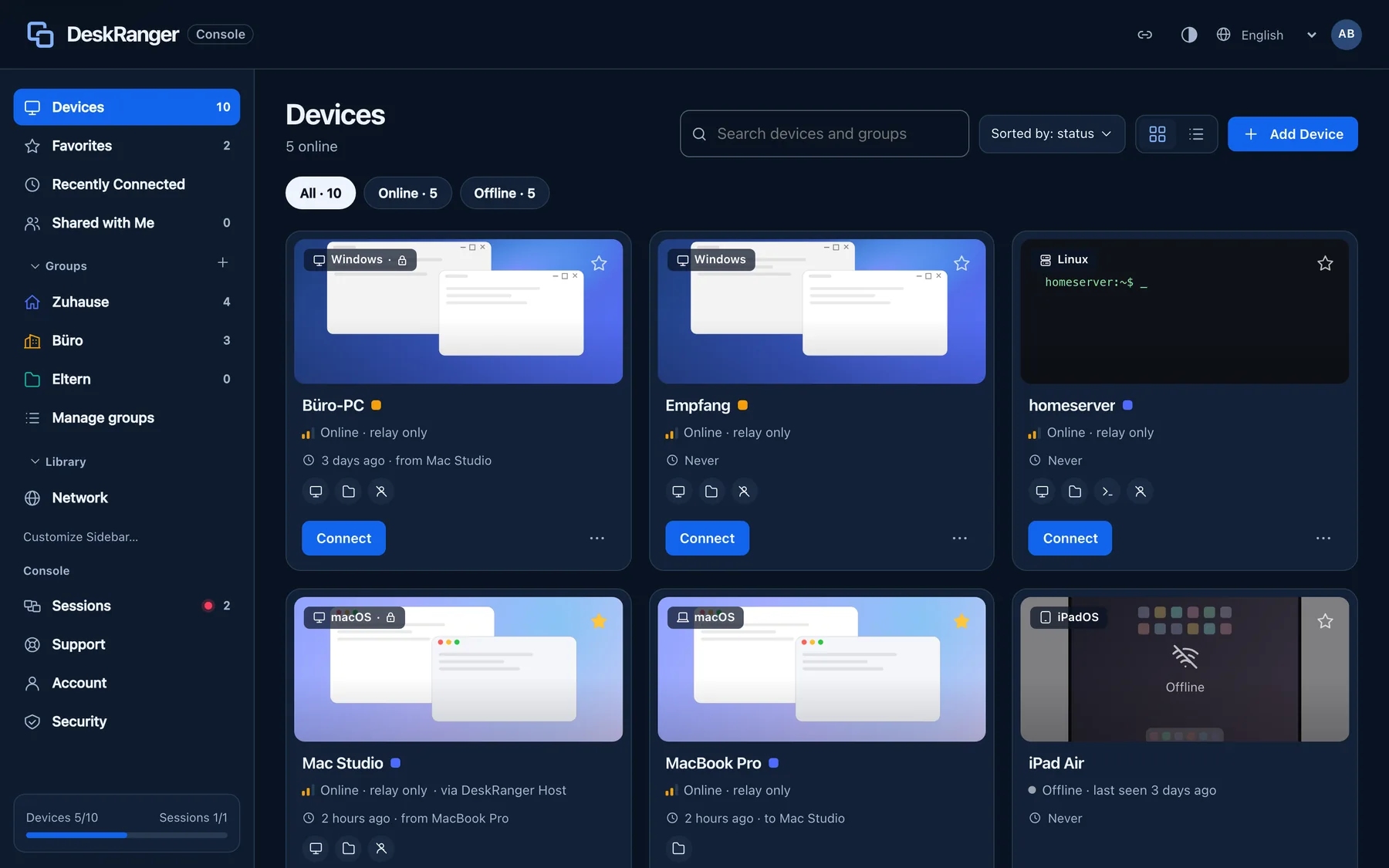
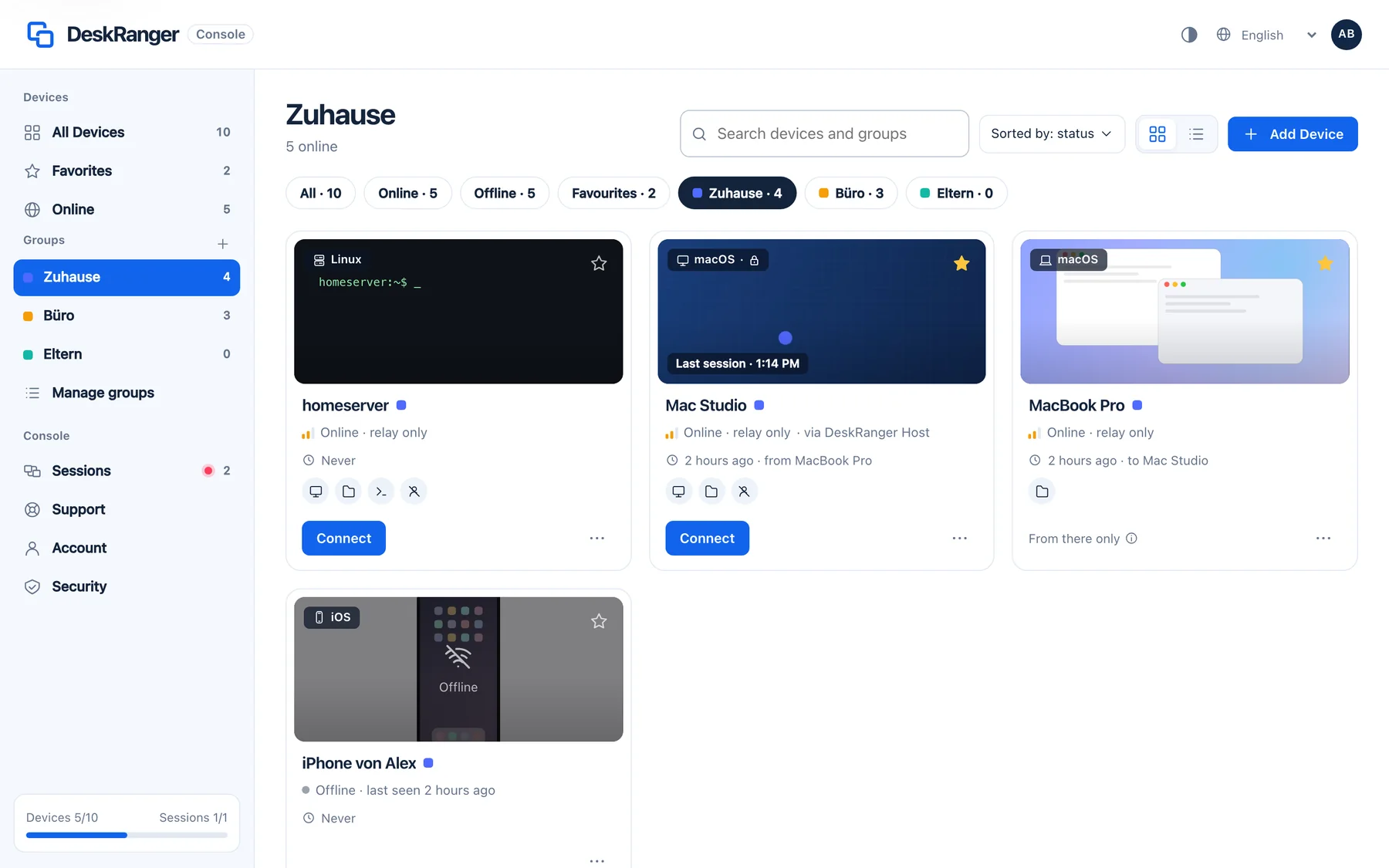
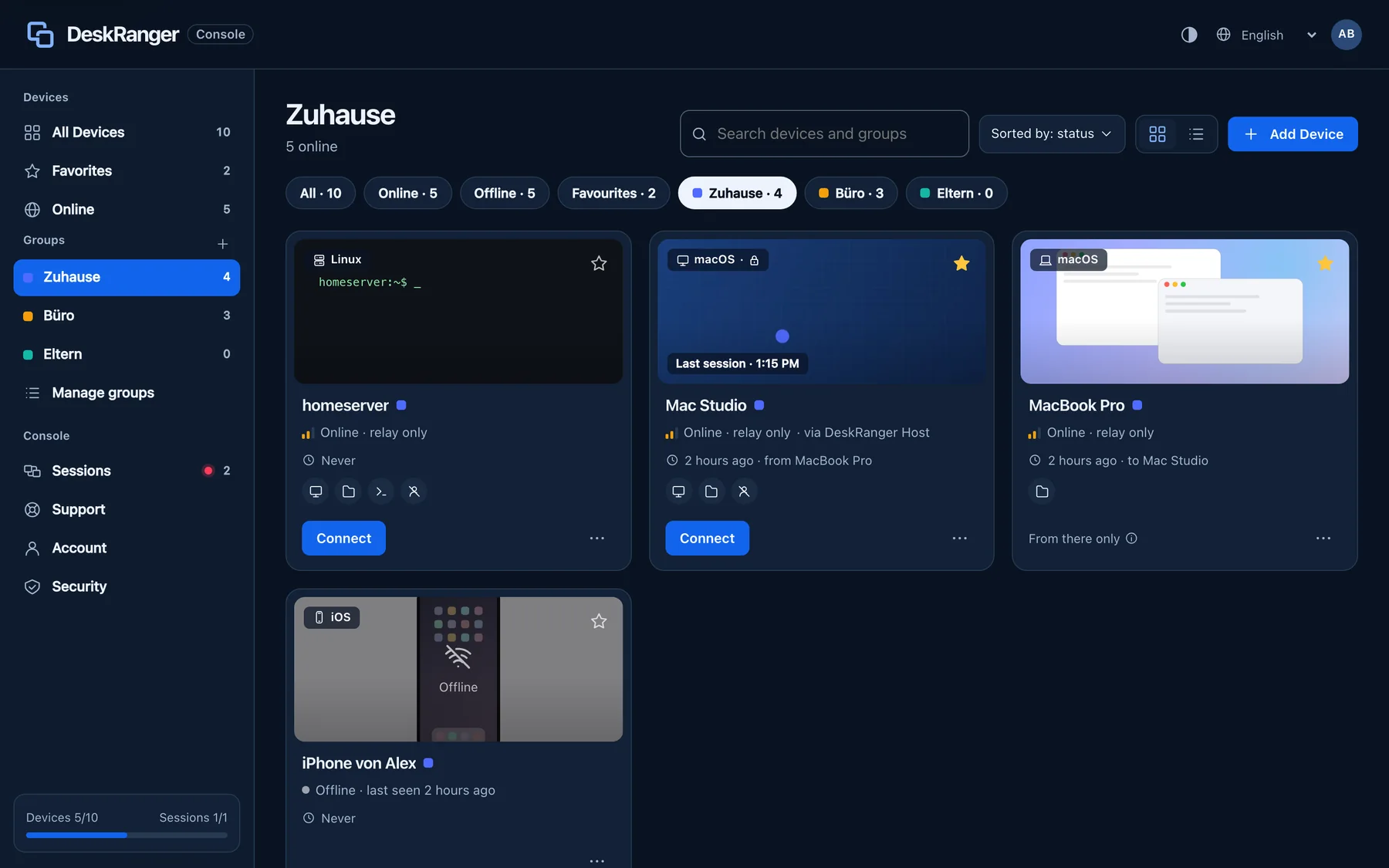
The devices in the web console: a session's last frame, device type, “Online · relay only”, features and “Only from there”The devices in the web console: a session's last frame, device type, “Online · relay only”, features and “Only from there”

Shown: Browser

What you do with it

See it on

The console in the browser

You sign in on the website and install nothing. The console shows your devices with the last picture of a session, your favourites, groups and connections. With a free account you manage your devices here.

  • Geräte, Favoriten, „Zuletzt verbunden“ and „Mit mir geteilt“ in the sidebar
  • Groups with icon and colour, plus search and sorting
  • You open a terminal on your devices in the browser too
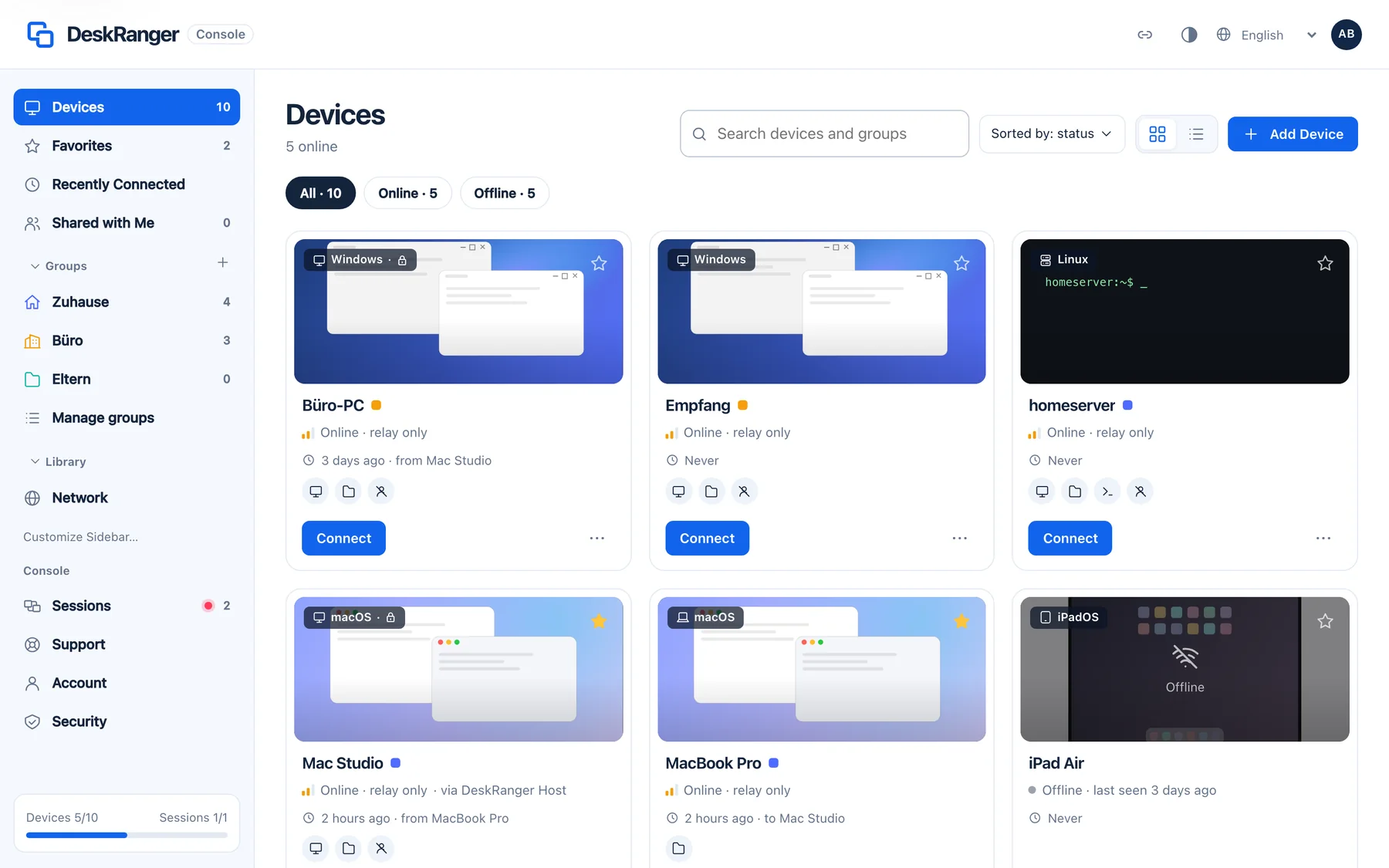
The web console's sidebar: Devices, Favorites, Recently Connected and Shared with Me, below them the groups with their icons and the library with NetworkThe web console's sidebar: Devices, Favorites, Recently Connected and Shared with Me, below them the groups with their icons and the library with Network

Shown: Browser

Start sessions with Pro

From the browser you start sessions with Pro, also in Early Access. With Free you control your devices from the DeskRanger apps and manage them in the console. Pro costs €2.90 a month or €29.90 a year.

  • Introductory price €19.90 a year for subscriptions booked until 31 Dec 2026, kept for good

The person at the device confirms

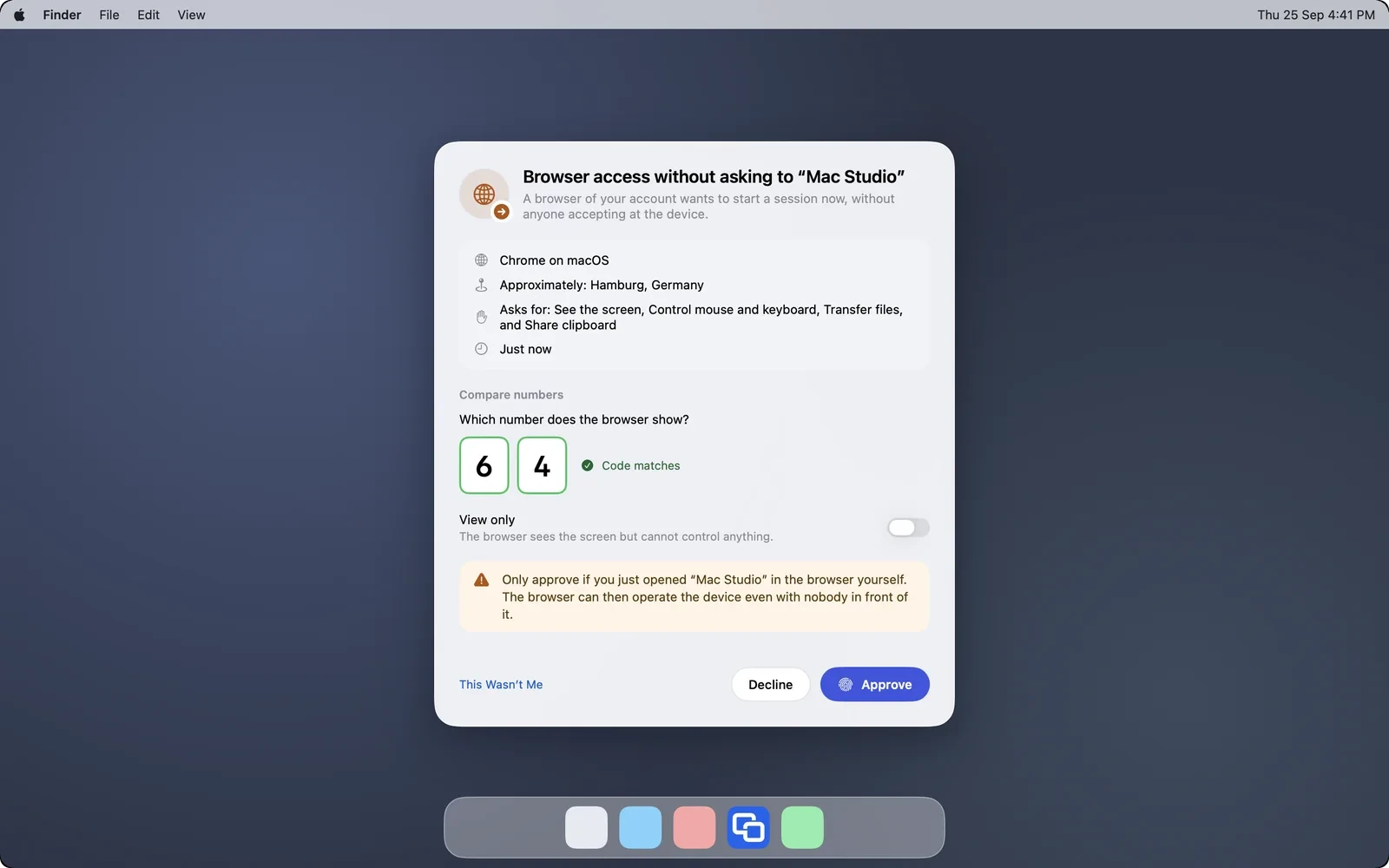
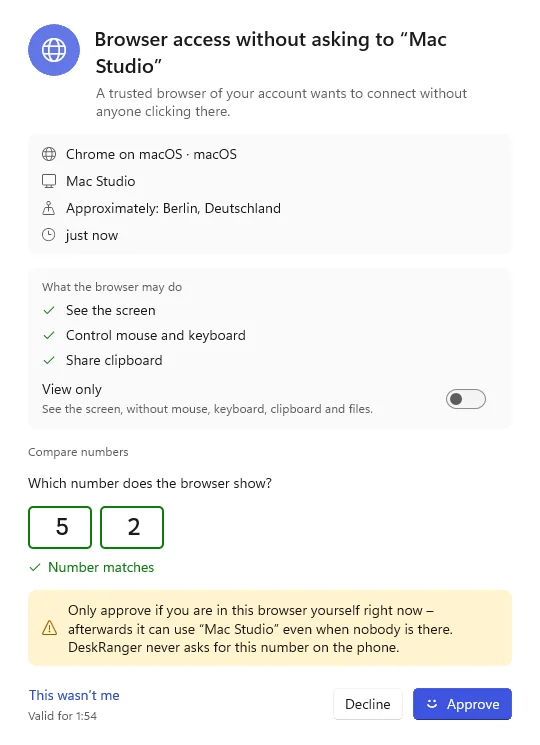
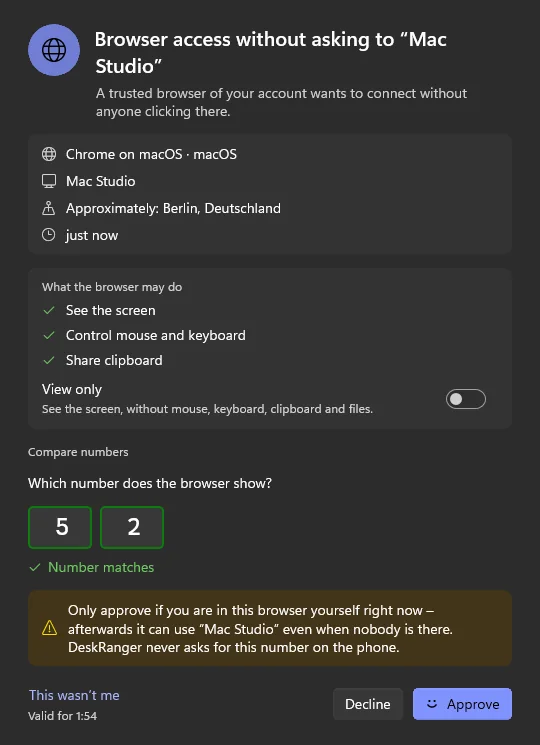
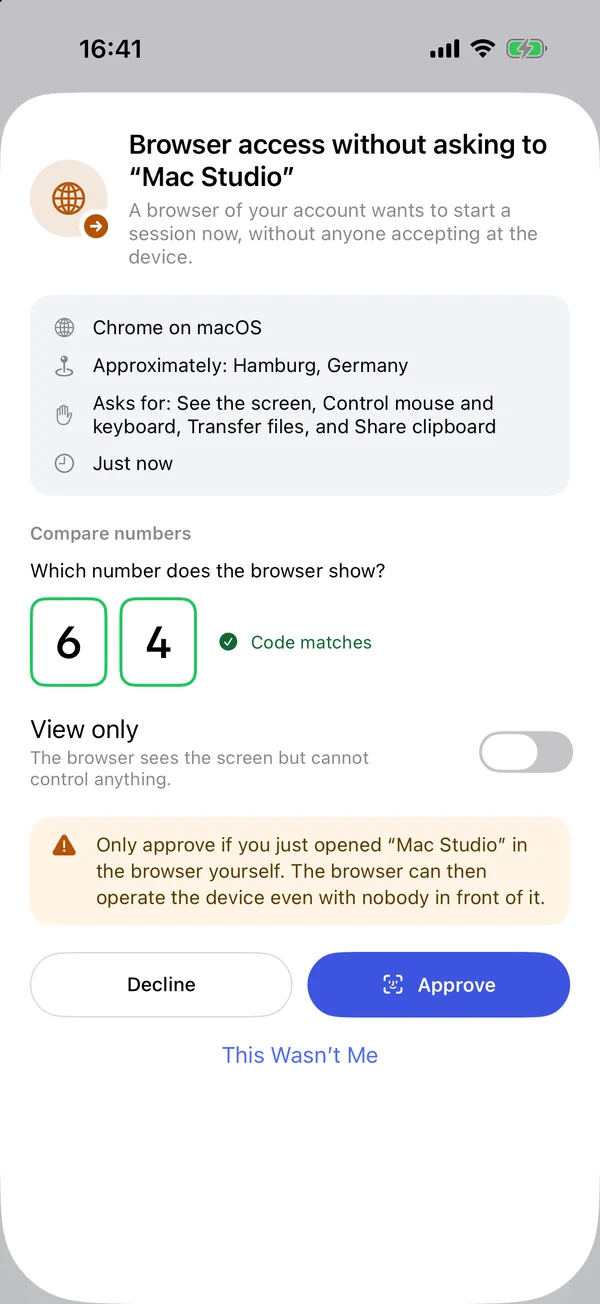
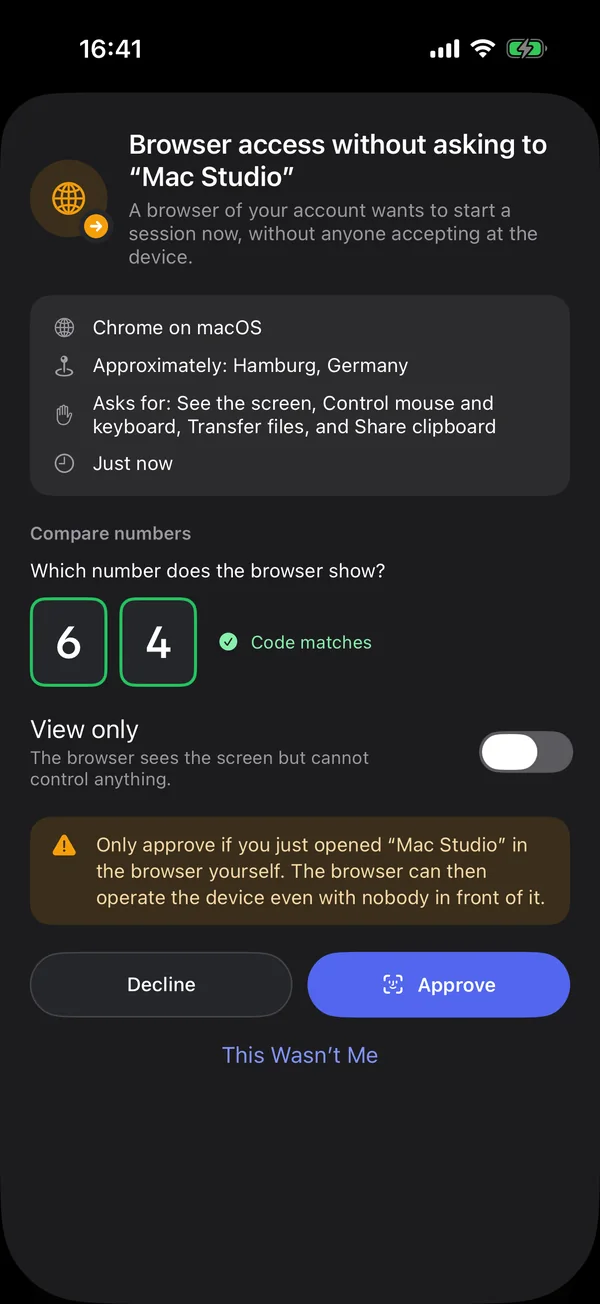
From the browser DeskRanger always asks: at the other device someone allows the request, which is marked as coming from a browser. For your own computer with DeskRanger Secure you approve the session on another of your devices instead.

  • The approval shows browser, approximate location and requested rights
  • Always through a relay, never direct, and end-to-end encrypted
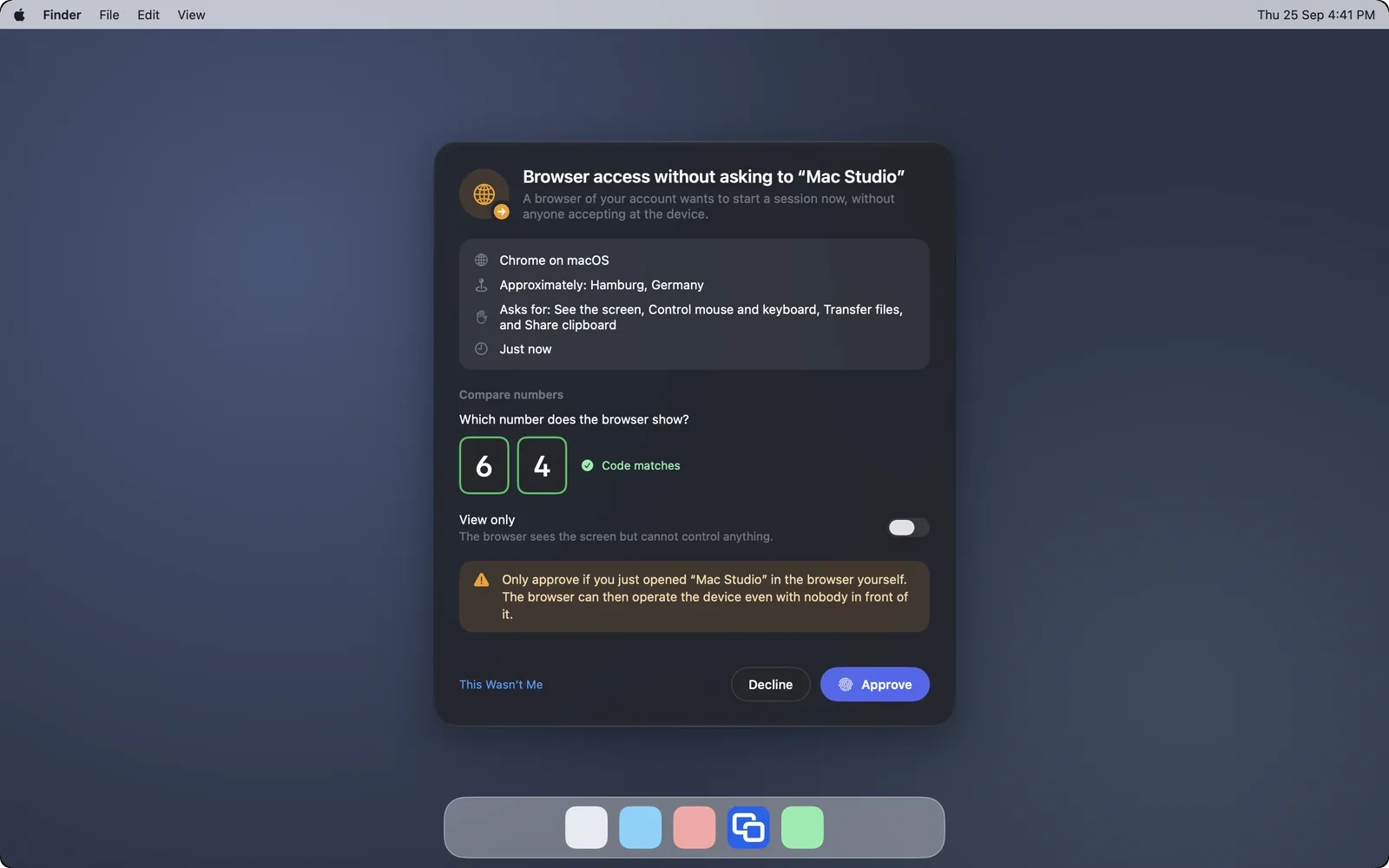
Another own device approves a browser session on “Mac Studio”: the browser, the approximate place, the requested permissions and the typed numberAnother own device approves a browser session on “Mac Studio”: the browser, the approximate place, the requested permissions and the typed number

Shown: Mac

What works in the session

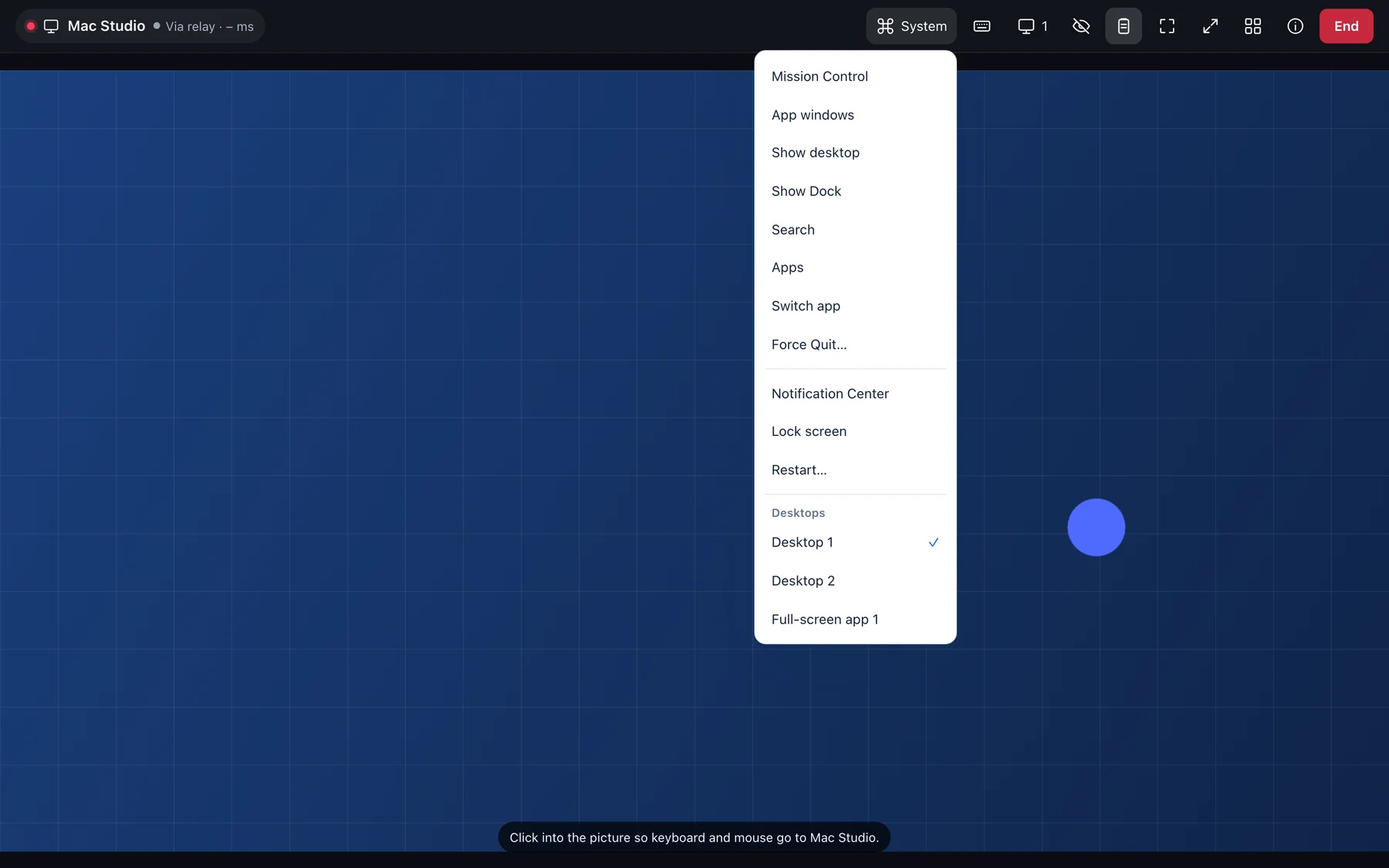
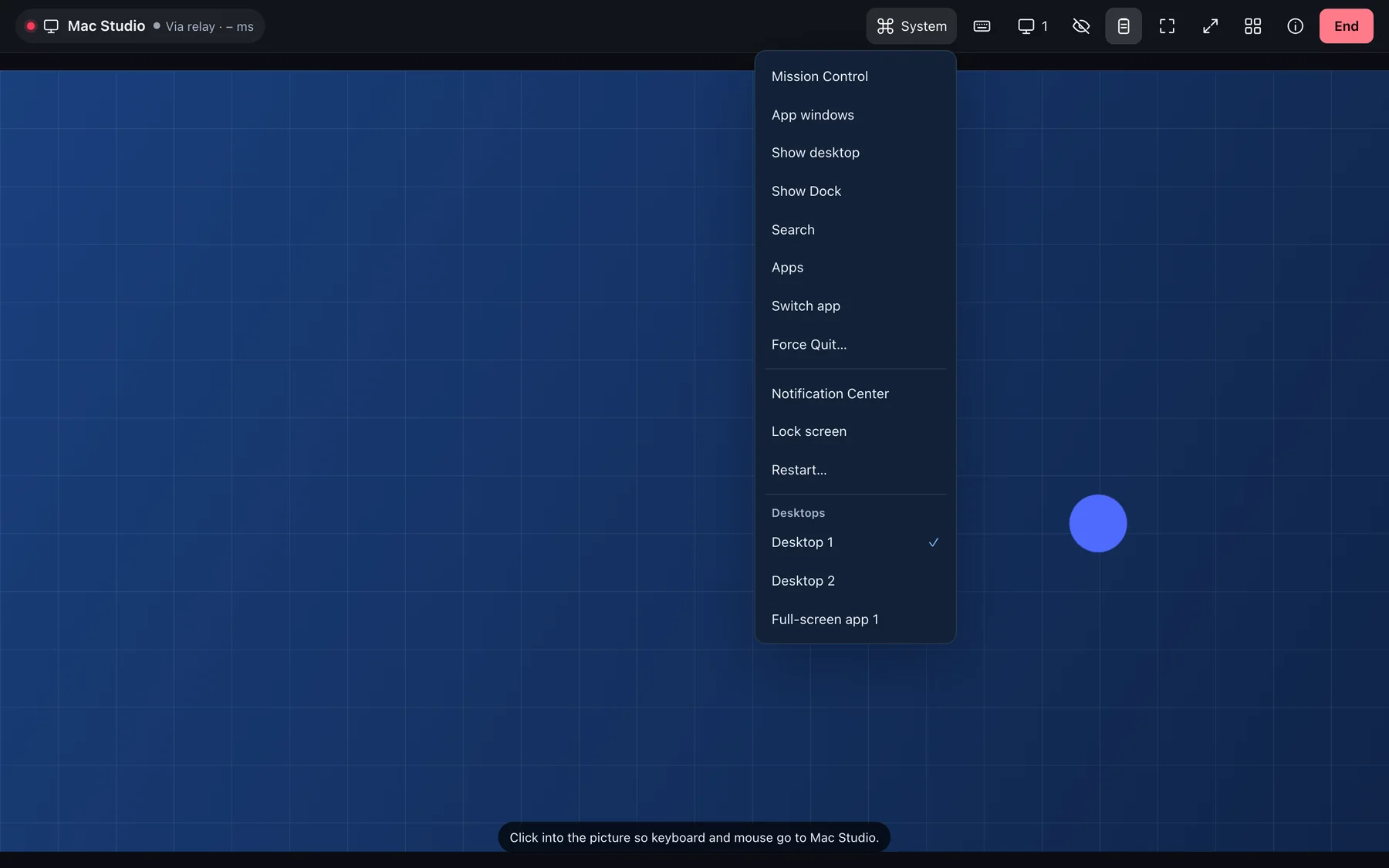
A bar offers display, Steuern, Tasten and Austausch, plus privacy mode and clipboard. You drag files up to 2 GB onto the picture or send them with „Dateien senden“. Sound starts after a click in the session.

  • Pasting with Ctrl+V or ⌘V sends your text over first
  • A received file lands as a download once complete and checked
  • You choose display, desktops and picture size as in the apps
A session in the browser: toolbar with display, privacy mode and clipboard, the desktops in the System menuA session in the browser: toolbar with display, privacy mode and clipboard, the desktops in the System menu

Shown: Browser

Every session a tab

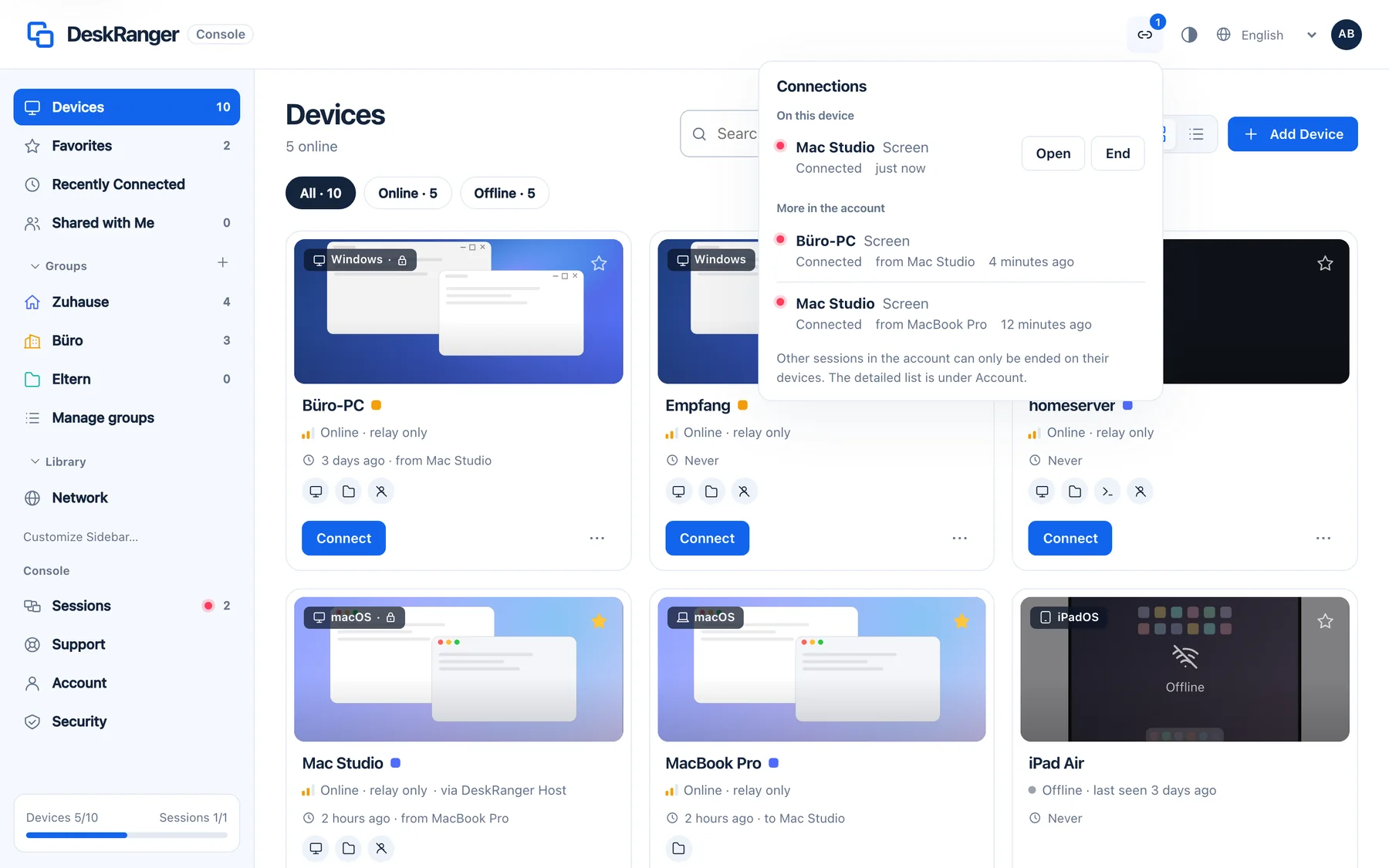
Every session runs in a tab of its own that carries the device's name. The device list opens in a tab of its own. If you close a session's tab it ends.

  • If the device is already connected in another tab, you carry on here
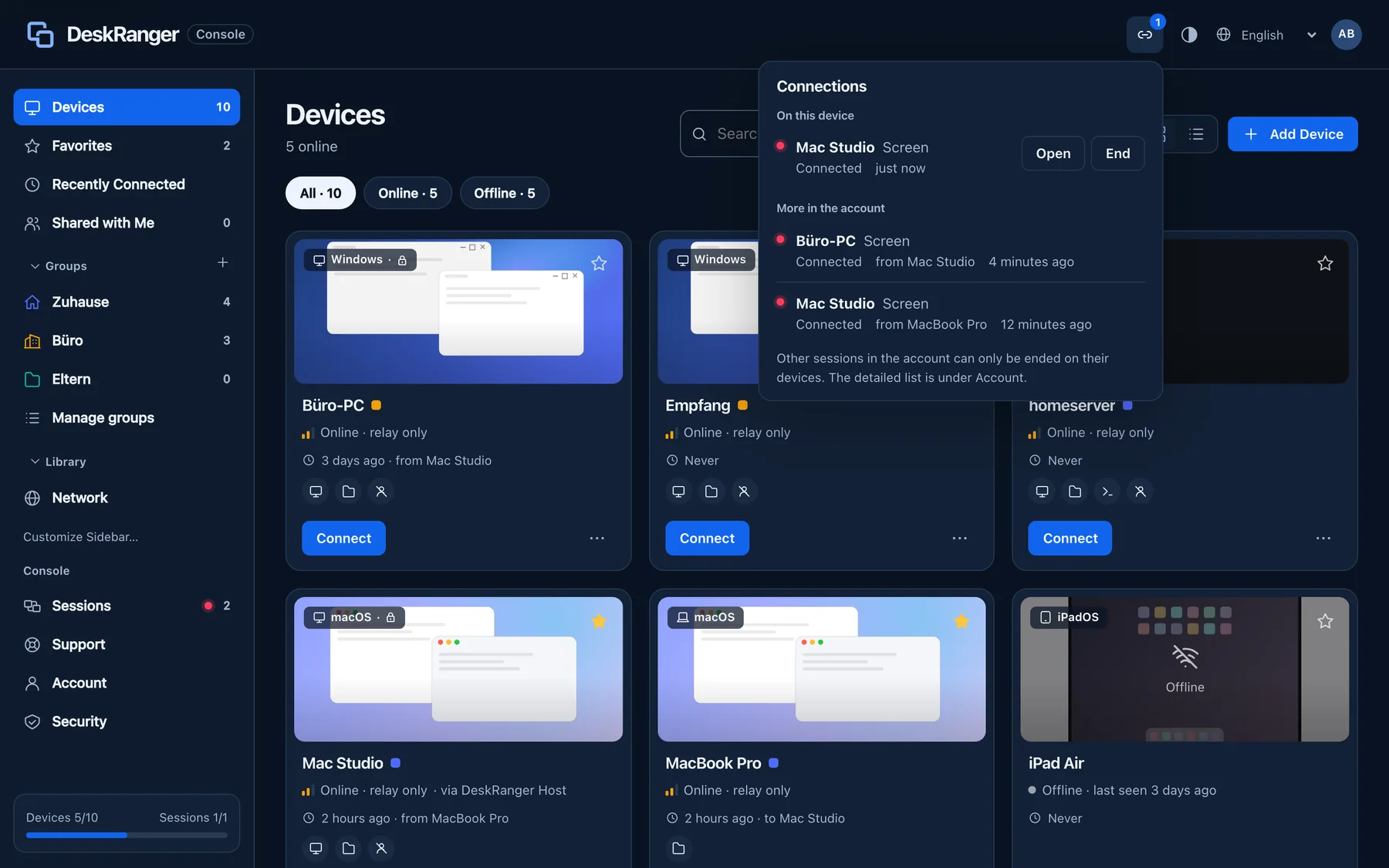
  • „Verbindungen“ shows this browser's sessions and your account's
The “Connections” list in the web console: on this device one session of this browser with “Open” and “End”, plus more sessions in the accountThe “Connections” list in the web console: on this device one session of this browser with “Open” and “End”, plus more sessions in the account

Shown: Browser

What the browser cannot do

A browser cannot reach computers in your network. That is why you connect RDP and VNC computers and service tunnels from an app. The console shows your saved remote desktops and you can add them there.

  • Adding nearby devices works only in the apps
  • The session has no side panel and no „Passwort eingeben“

Preguntas frecuentes

Can I use files and the clipboard in the browser too?

Yes. You send files up to 2 GB and share text through the clipboard. You switch clipboard sharing on in the session bar.

Do I need Pro to use the console?

No. With a free account you sign in to the console and see and manage your devices. Starting a session from the browser needs Pro.