Help

Privacy mode

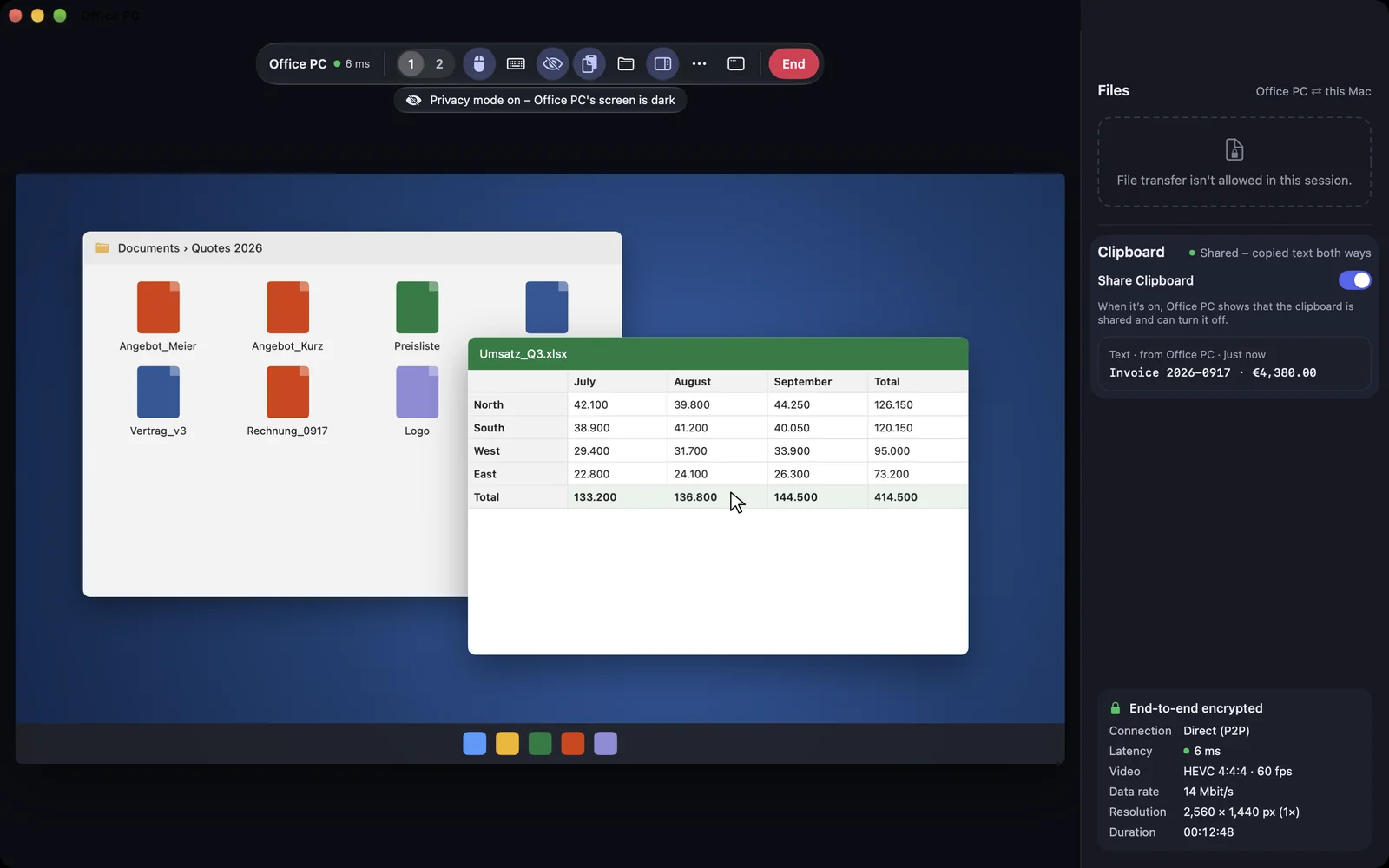
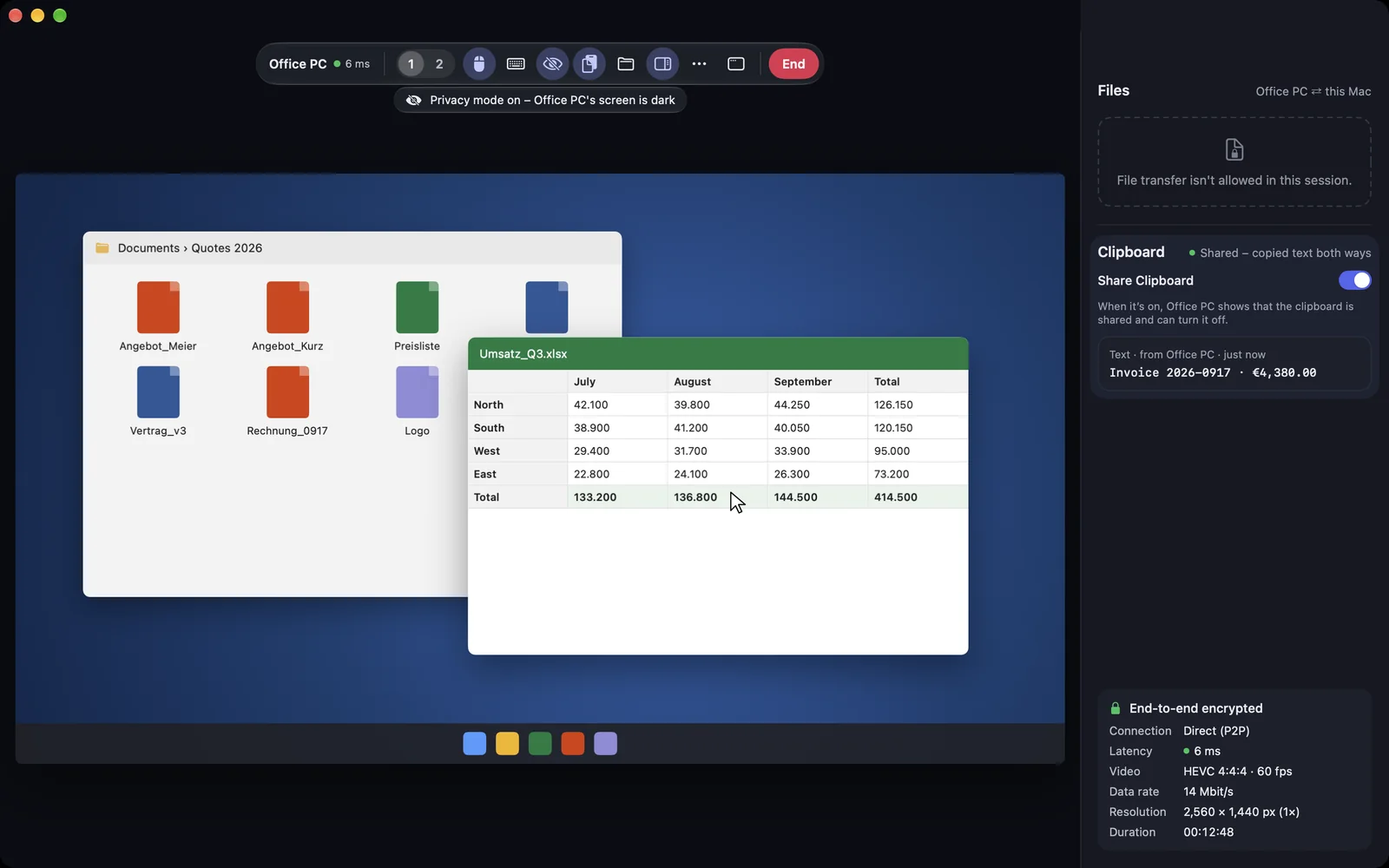
Dim the other device's screen while you work there. You still see it normally. The session stays visible and endable at the device. It is available for Macs and Windows PCs.

FreemacOS · Windows
Privacy mode as the helper sees itPrivacy mode as the helper sees it

Shown: Mac

What you do with it

See it on

Switch on in the session

Trabajas sin interrupciones: en modo privado su pantalla se pone en negro, por ejemplo mientras configuras una cuenta. Para ello, la sesión necesita el permiso „Maus und Tastatur steuern“.

  • Mac: the „Privat-Modus“ button in the bar or ⌃⌥⌘P
  • iPhone and iPad: „Privat-Modus einschalten“ in the session menu
  • In the browser: a button in the bar; on top „Privat-Modus aktiv“ with an end button
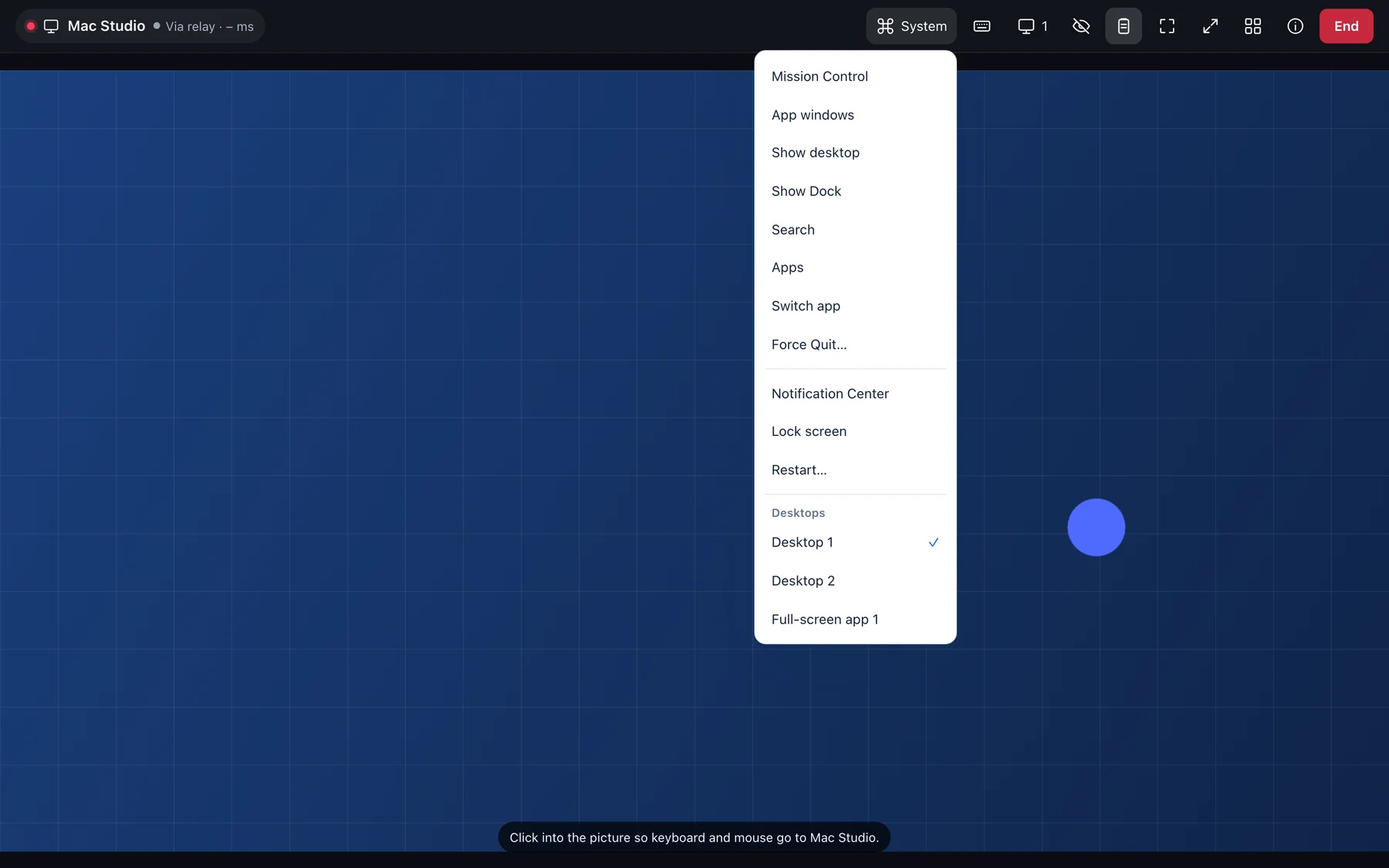
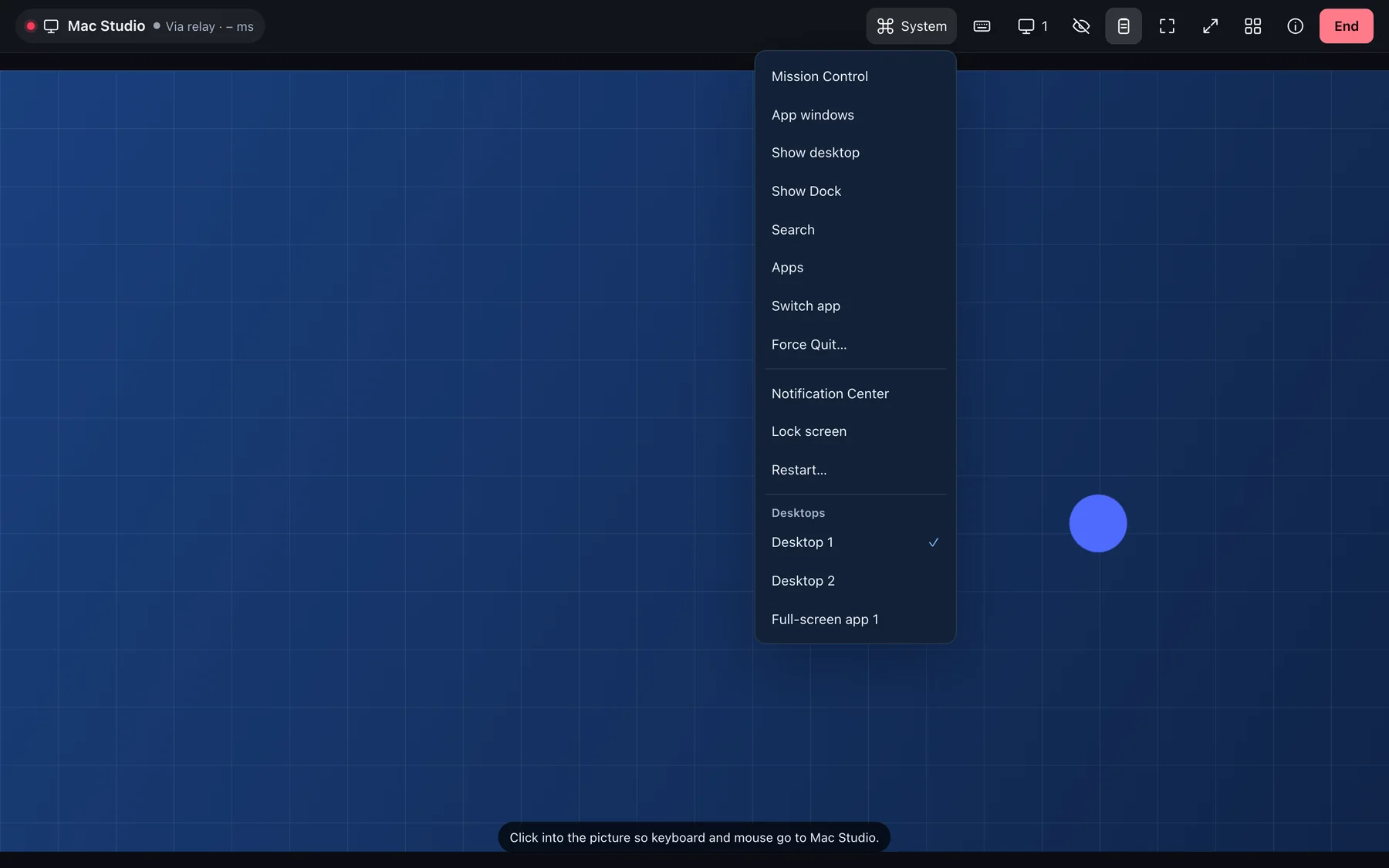
A session in the browser: toolbar with display, privacy mode and clipboard, the desktops in the System menuA session in the browser: toolbar with display, privacy mode and clipboard, the desktops in the System menu

Shown: Browser

Everything stays visible at the device

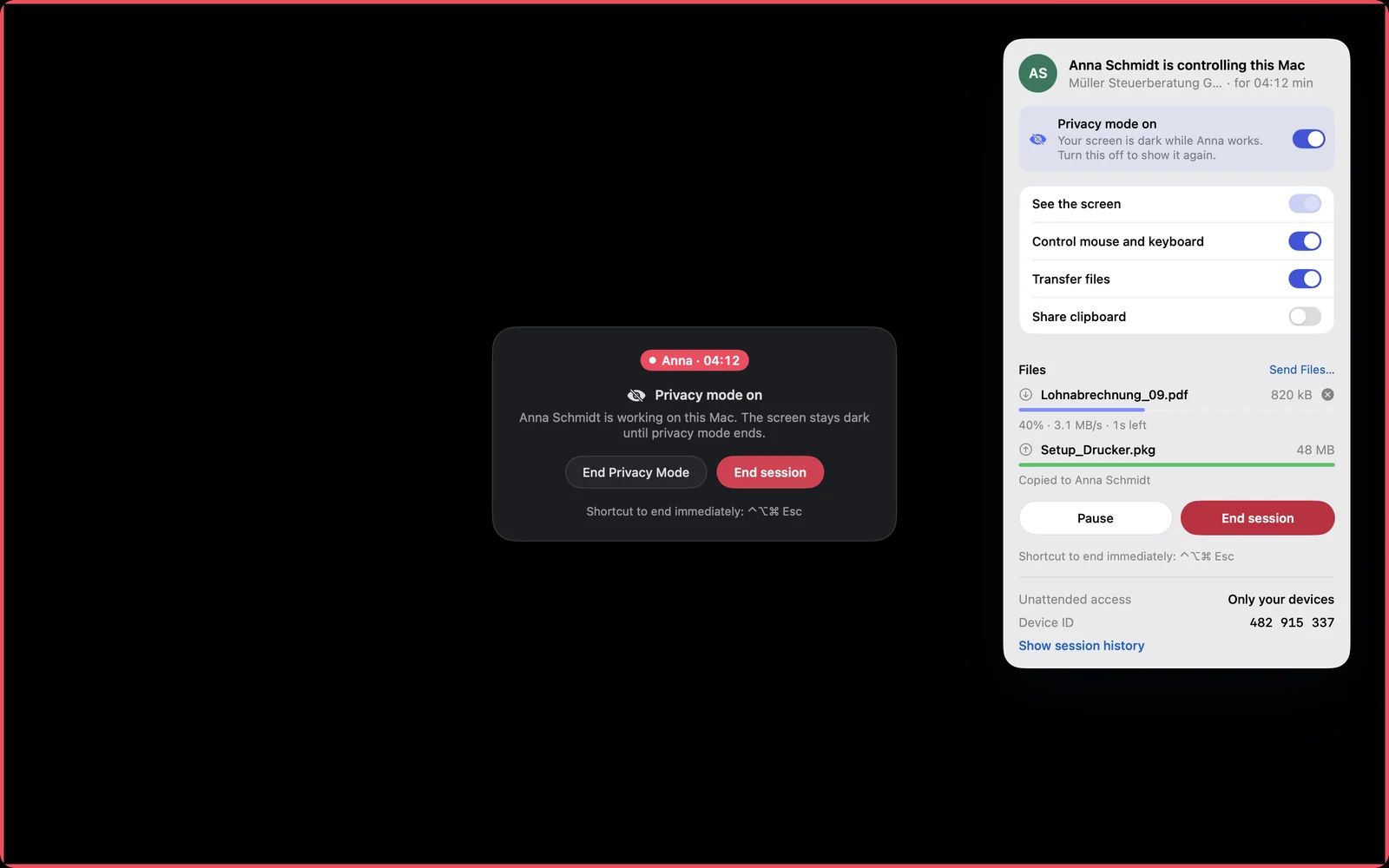
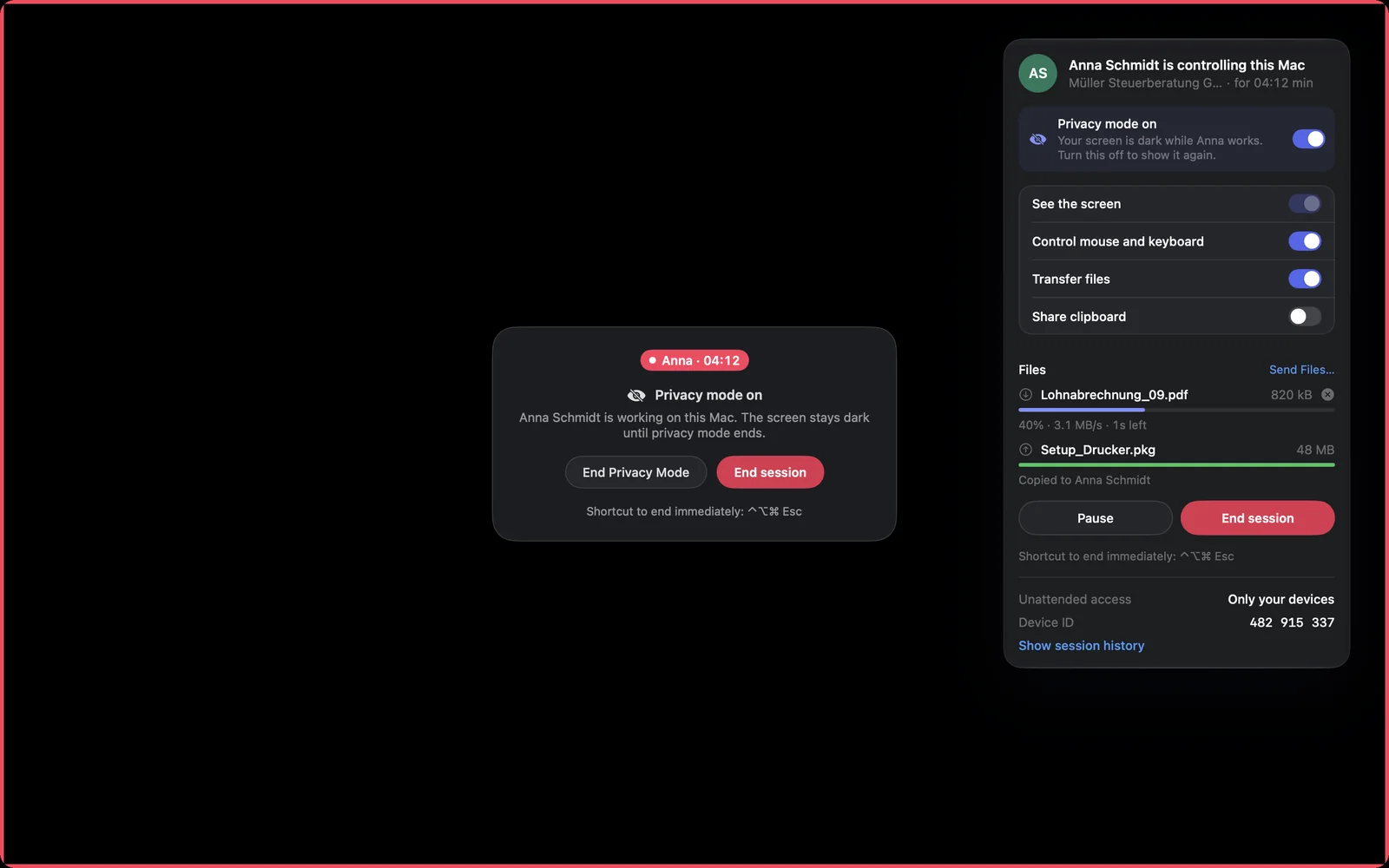
The screen is dark, the red frame stays and a notice says who is working. The person there ends privacy mode at any time with „Privat-Modus beenden“ or ends the whole session. When the session ends the screen is visible again at once.

  • Invisible access is not possible in DeskRanger
Privacy mode on the Mac: dark screen with a noticePrivacy mode on the Mac: dark screen with a notice

Shown: Mac

When it works

For example when you do something confidential on a device in the office. If your session has no control, it does not work. If the device shows the login window, it stays off.

  • As a host it exists on the Mac and on Windows

Everything step by step, for every platform:

Privacy mode

Preguntas frecuentes

Is privacy mode available on Linux too?

No. On Linux (Wayland) the screen cannot be dimmed without your own picture going dark too. You can still control a Linux device from Mac, Windows and the other platforms.

¿La persona en el lugar ve que alguien está trabajando?

Sí. En lugar del contenido, la pantalla muestra un aviso de que hay una sesión en curso.