Control

All connections at a glance

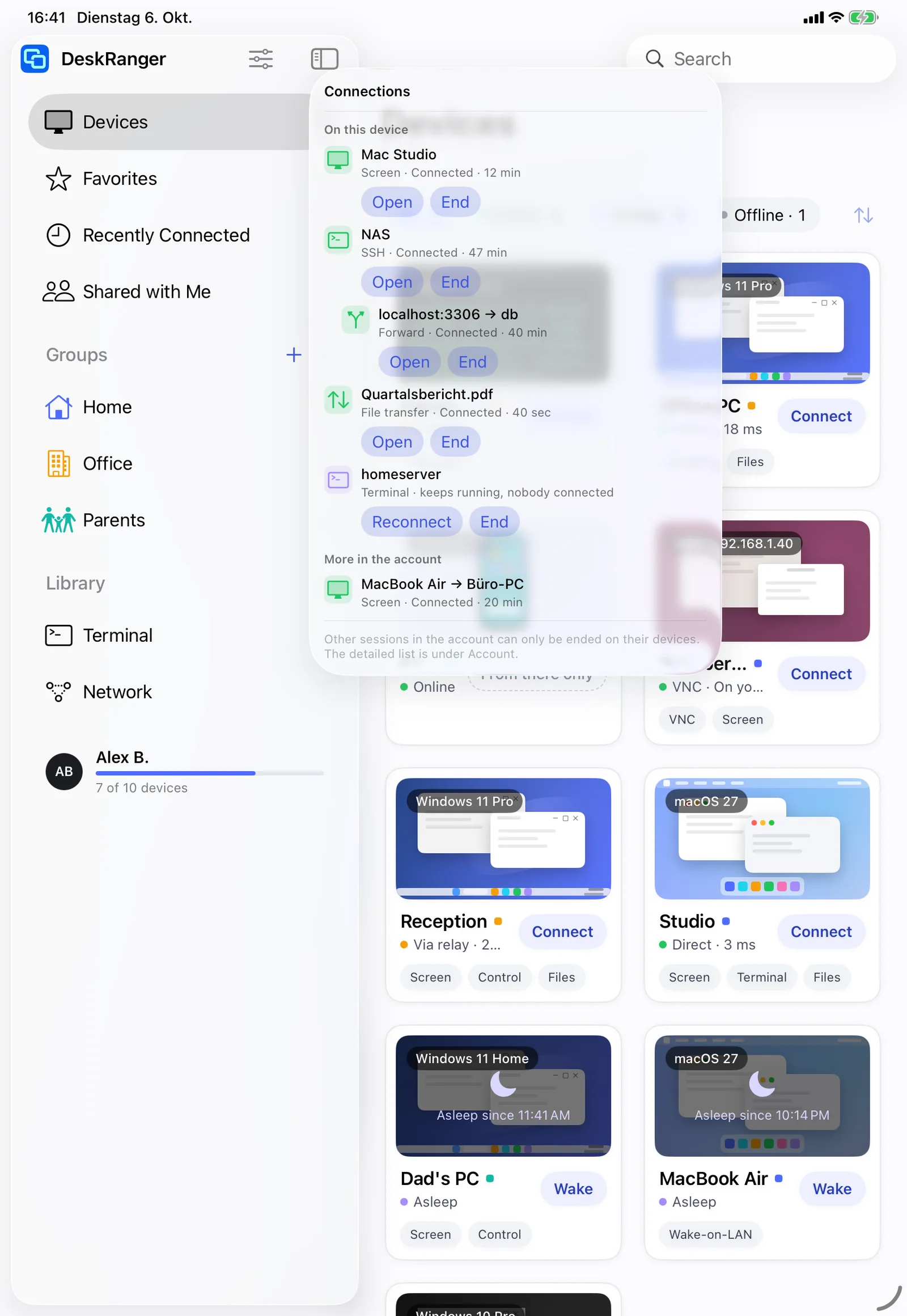
One icon next to the search shows every open connection: on this device, connected to you and across your account. One click takes you back or ends it.

FreemacOS · Windows · Linux · Android · iOS / iPadOS · Web
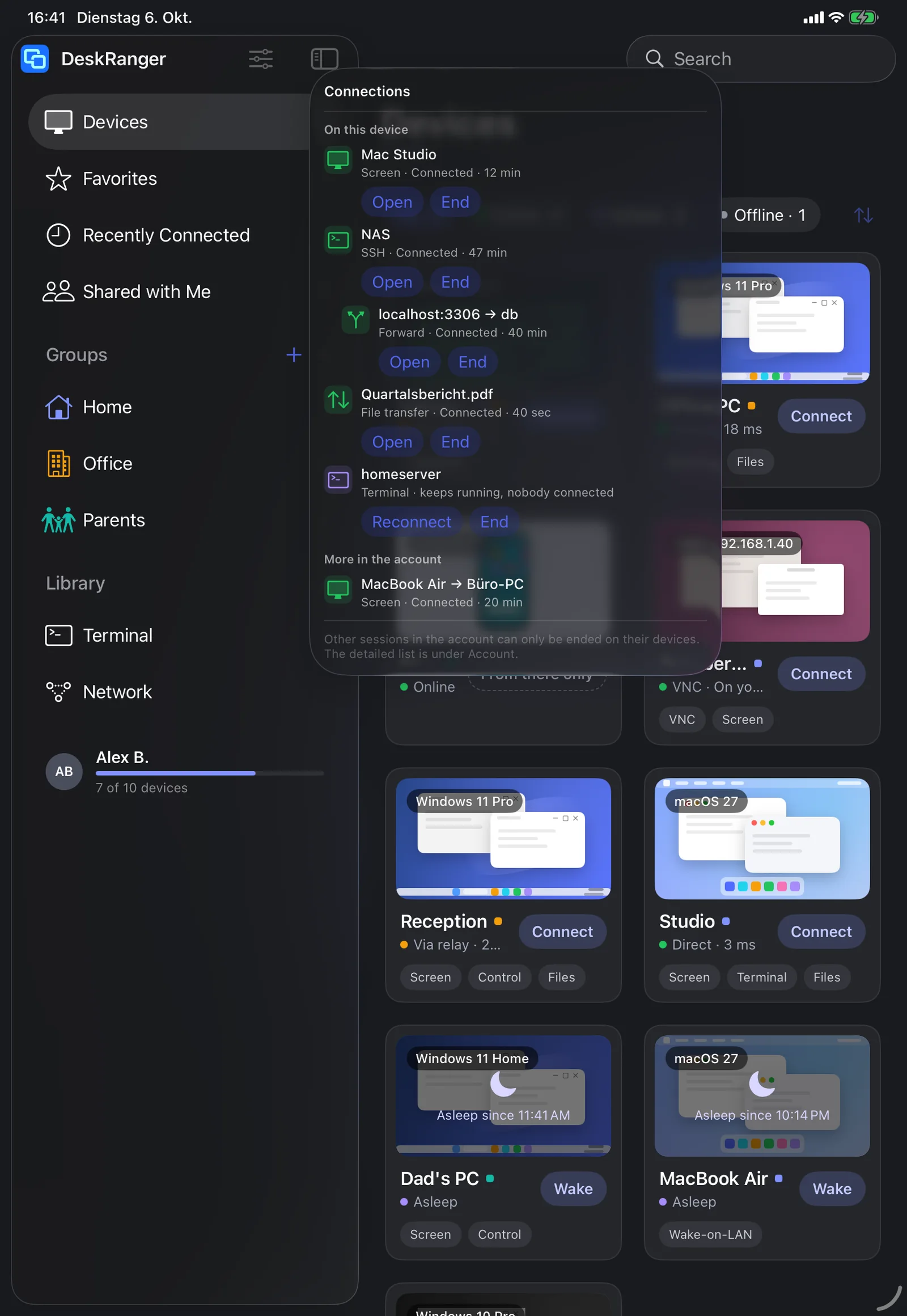
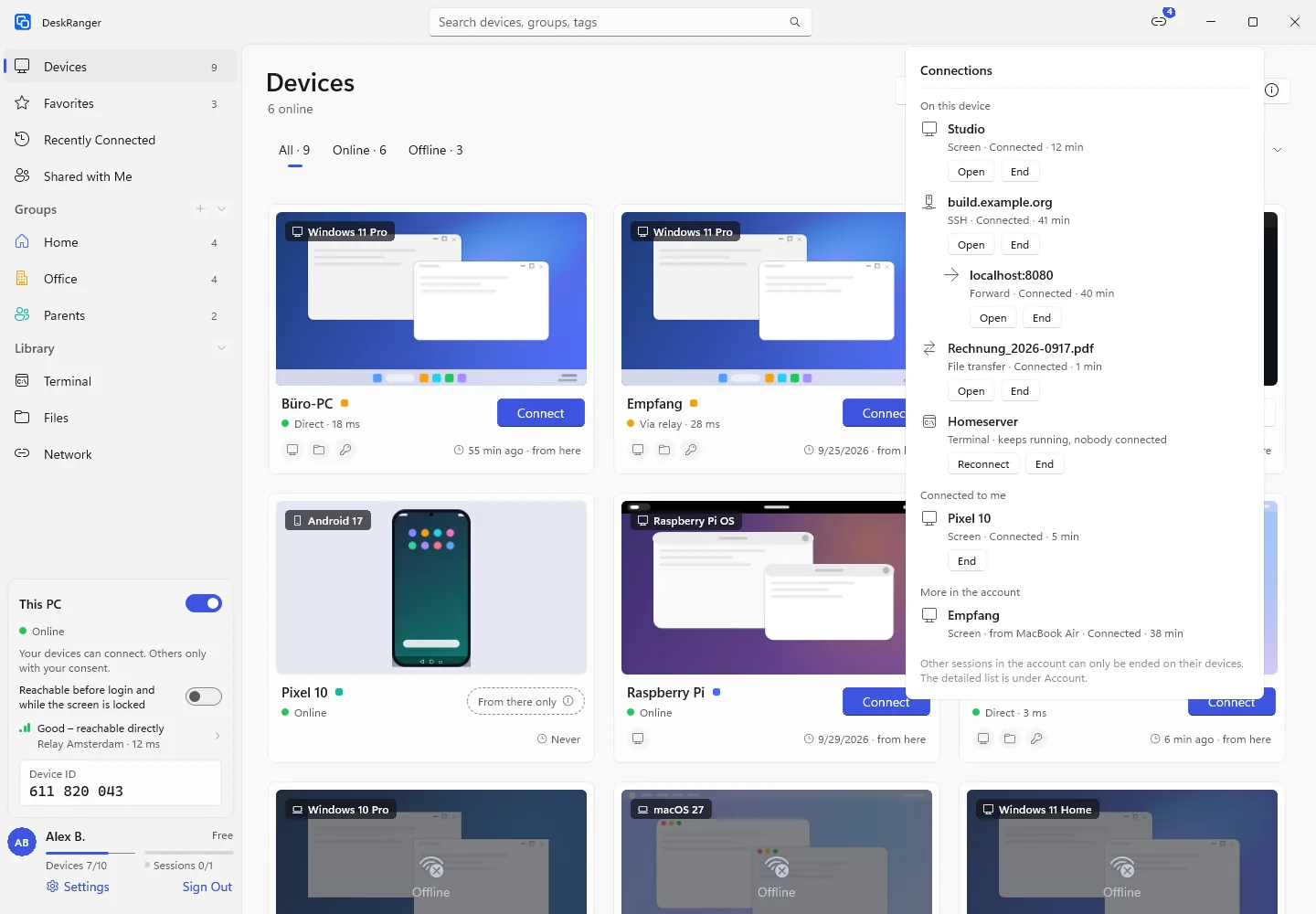
The “Connections” list: on this device a screen session, SSH with a forward, a transfer and a detached terminal, plus who is connected to this device and one more session in the accountThe “Connections” list: on this device a screen session, SSH with a forward, a transfer and a detached terminal, plus who is connected to this device and one more session in the account

Shown: Windows

What you do with it

See it on

One icon with a number

You see at a glance what is running: next to the search „Verbindungen“ shows with a number how many connections are open. One click opens the list. If nothing is open the icon is missing.

  • On the iPad next to the search, on the iPhone in the title bar
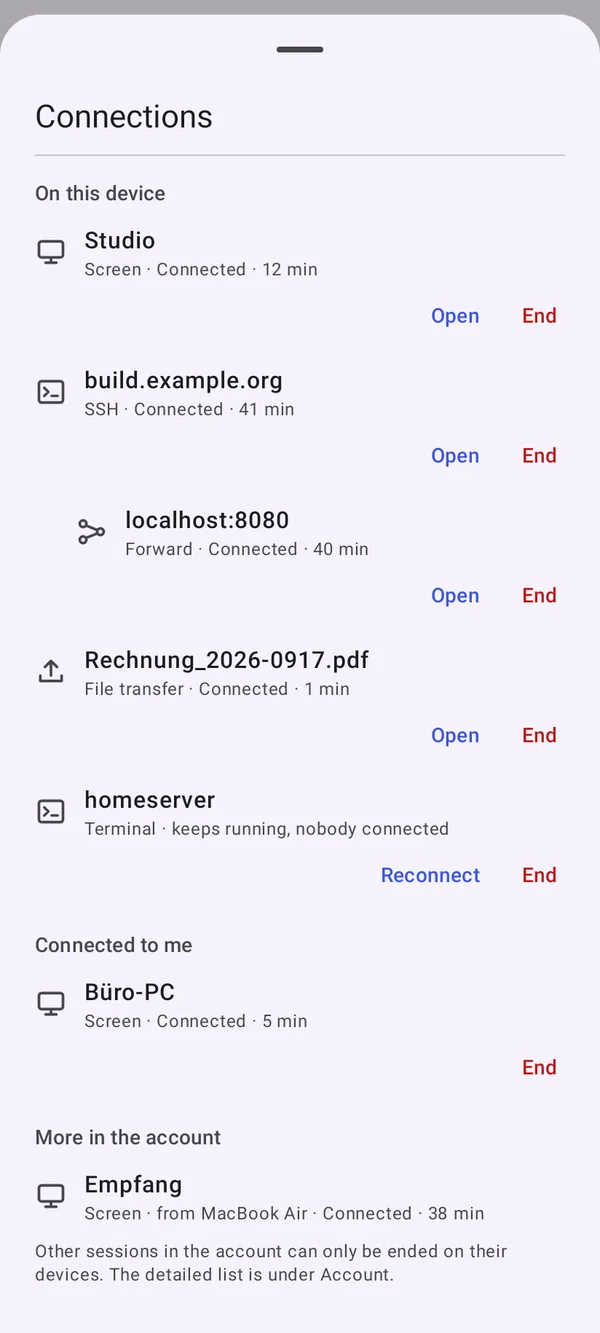
  • On the phone in the title bar next to the switch between tiles and list
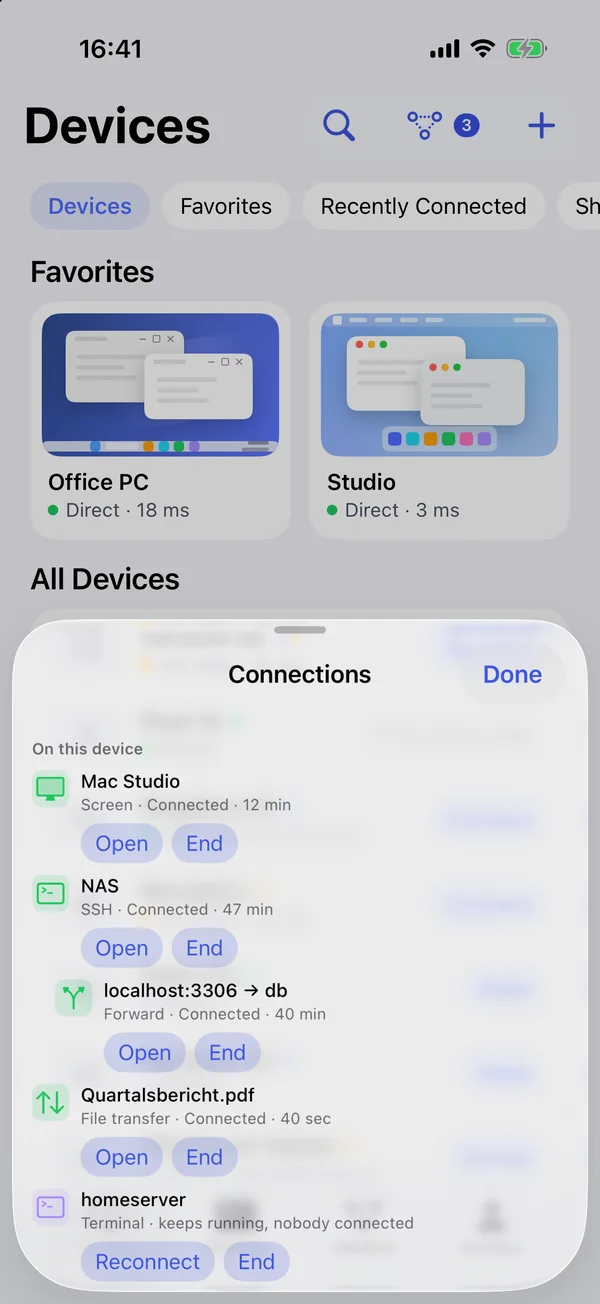
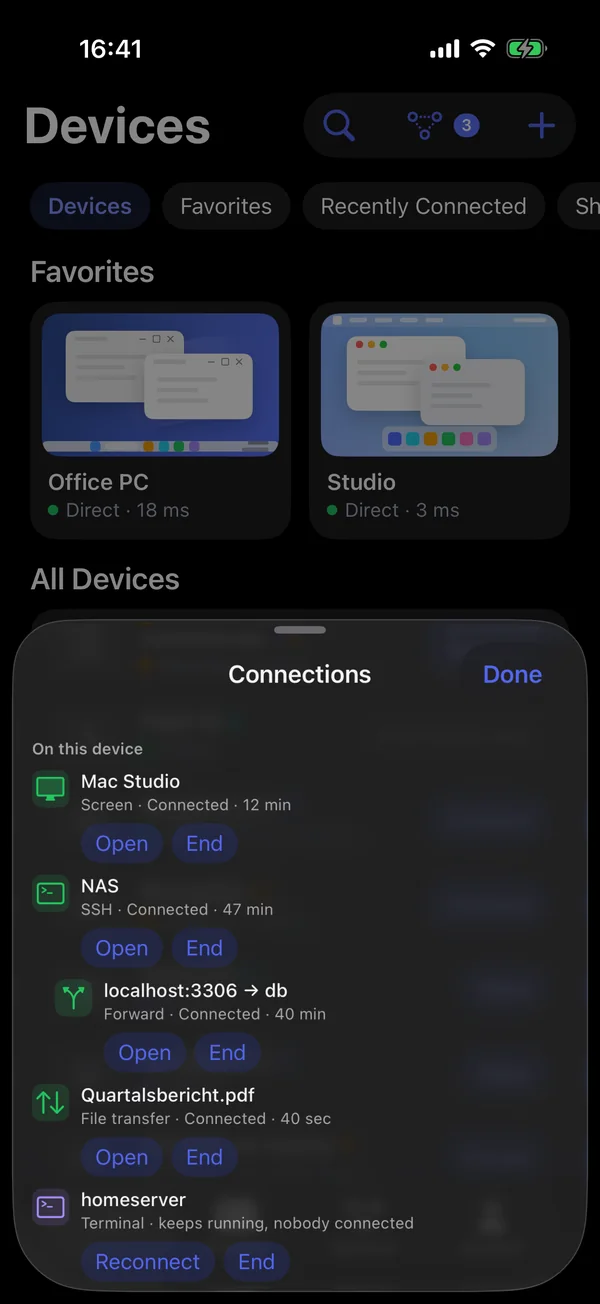
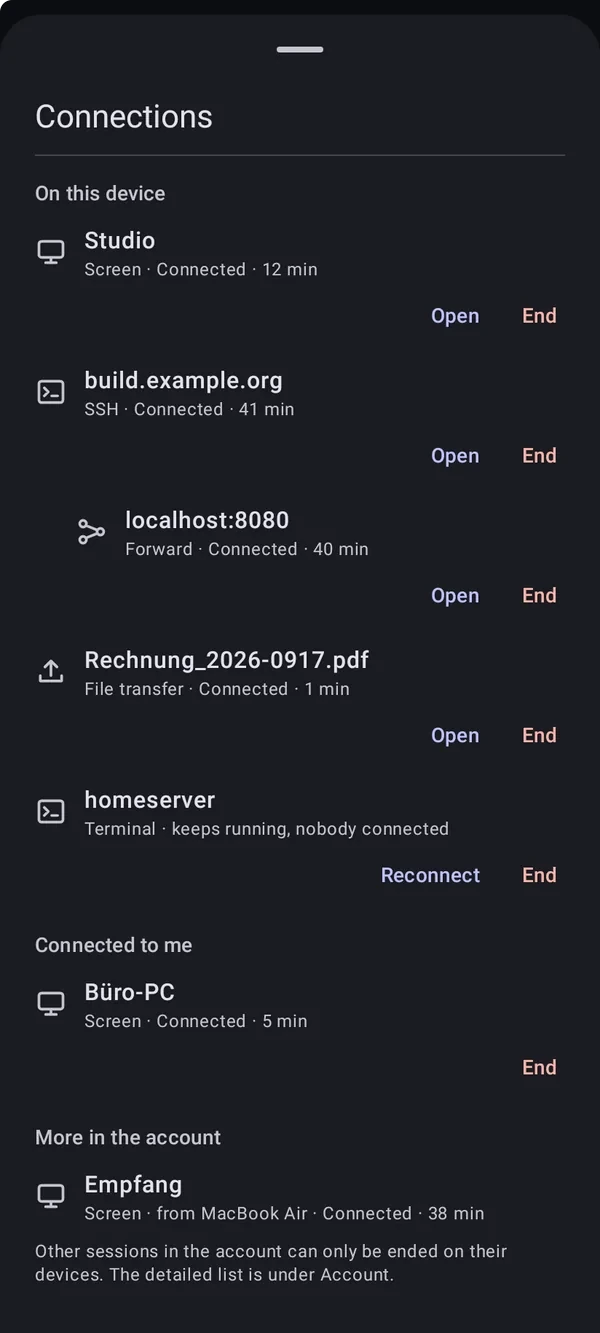
The “Connections” list on the iPhone, opened from the bottom: on this device a screen session, SSH with a forward, a transfer and a detached terminal, plus one more session in the accountThe “Connections” list on the iPhone, opened from the bottom: on this device a screen session, SSH with a forward, a transfer and a detached terminal, plus one more session in the account

Shown: iPhone & iPad

Three groups

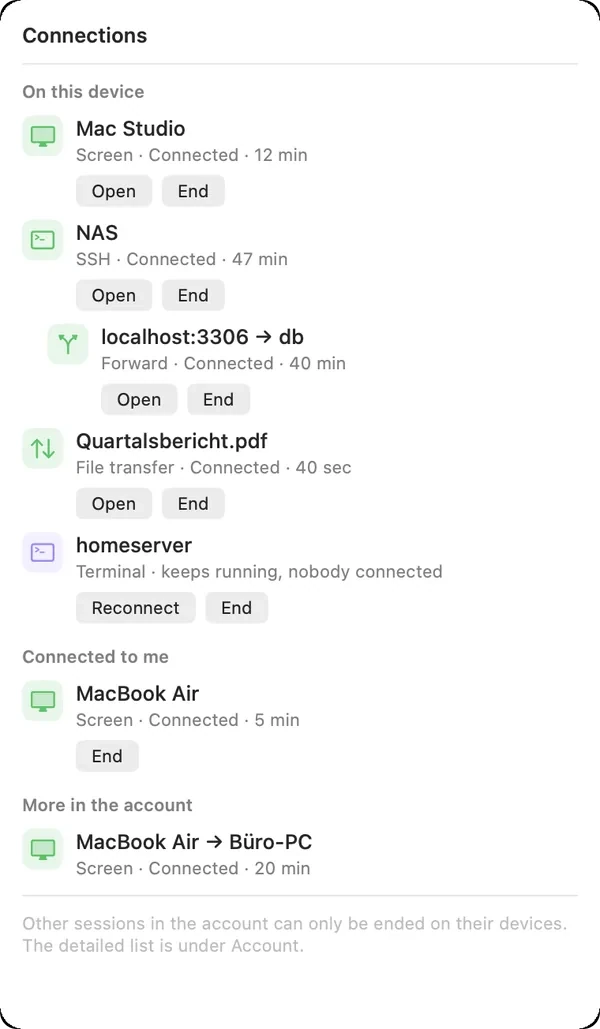
„Auf diesem Gerät“ shows what this device views, types or transfers. „Bei mir verbunden“ shows who is on this device right now. „Weitere im Konto“ shows your account's other sessions.

  • Screen, terminal, SSH, remote desktop, forwarding and file transfer
  • The list shows only names and devices, never content
The “Connections” list: on this device a screen session, SSH with a forward, a transfer and a detached terminal, plus who is connected to this device and one more session in the accountThe “Connections” list: on this device a screen session, SSH with a forward, a transfer and a detached terminal, plus who is connected to this device and one more session in the account

Shown: Mac

Back or end

„Öffnen“ jumps back to the window or tab, „Beenden“ ends the connection. A terminal nobody is attached to any more shows as detached and can be reopened.

  • You end other devices' sessions on those devices
  • Under „Aktive Sitzungen“ you see all sessions of your account
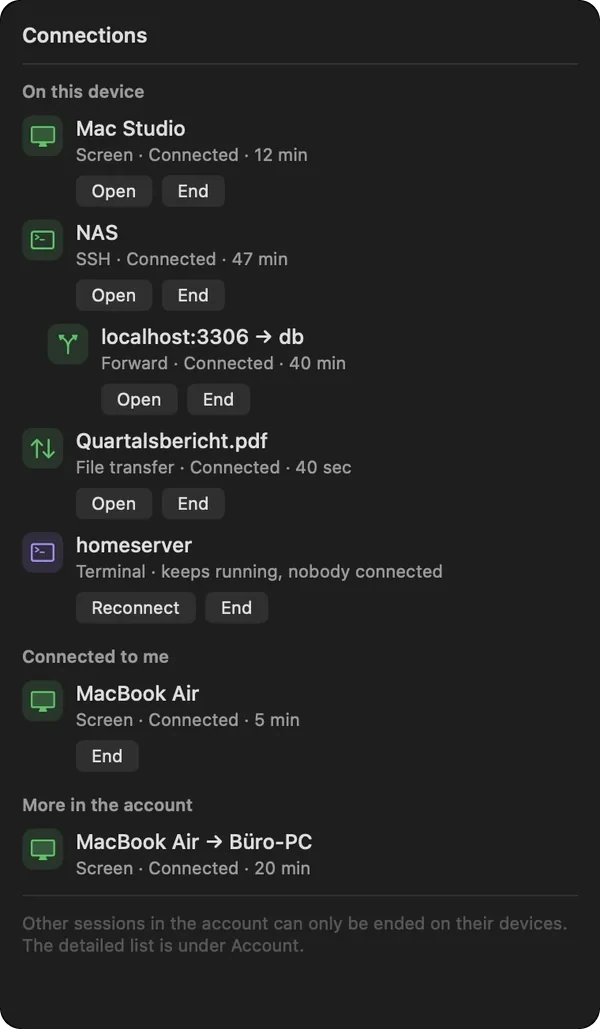
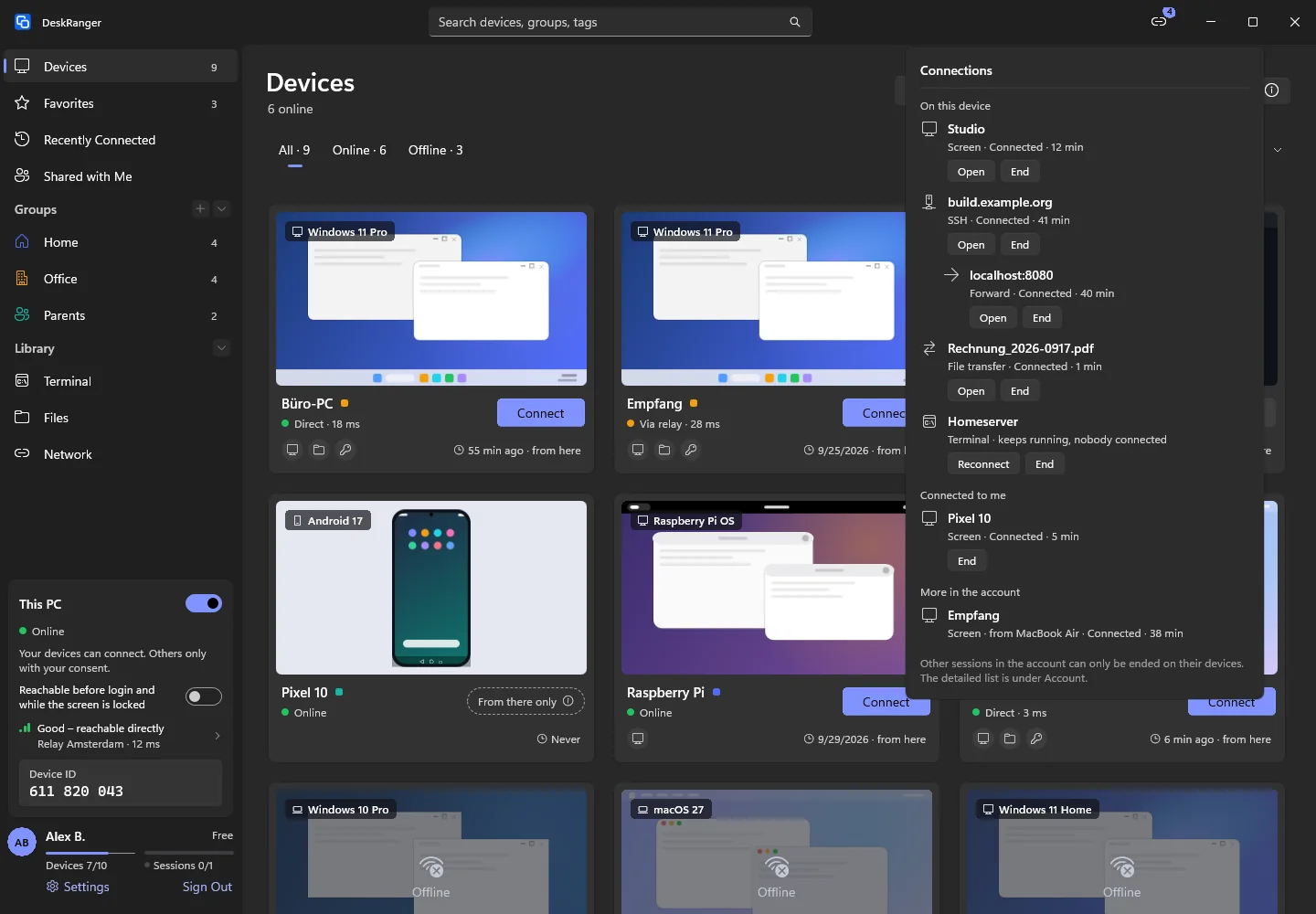
The “Connections” list: on this device a screen session, SSH with a forward, a transfer and a detached terminal, plus who is connected to this device and one more session in the accountThe “Connections” list: on this device a screen session, SSH with a forward, a transfer and a detached terminal, plus who is connected to this device and one more session in the account

Shown: Mac

In the browser too

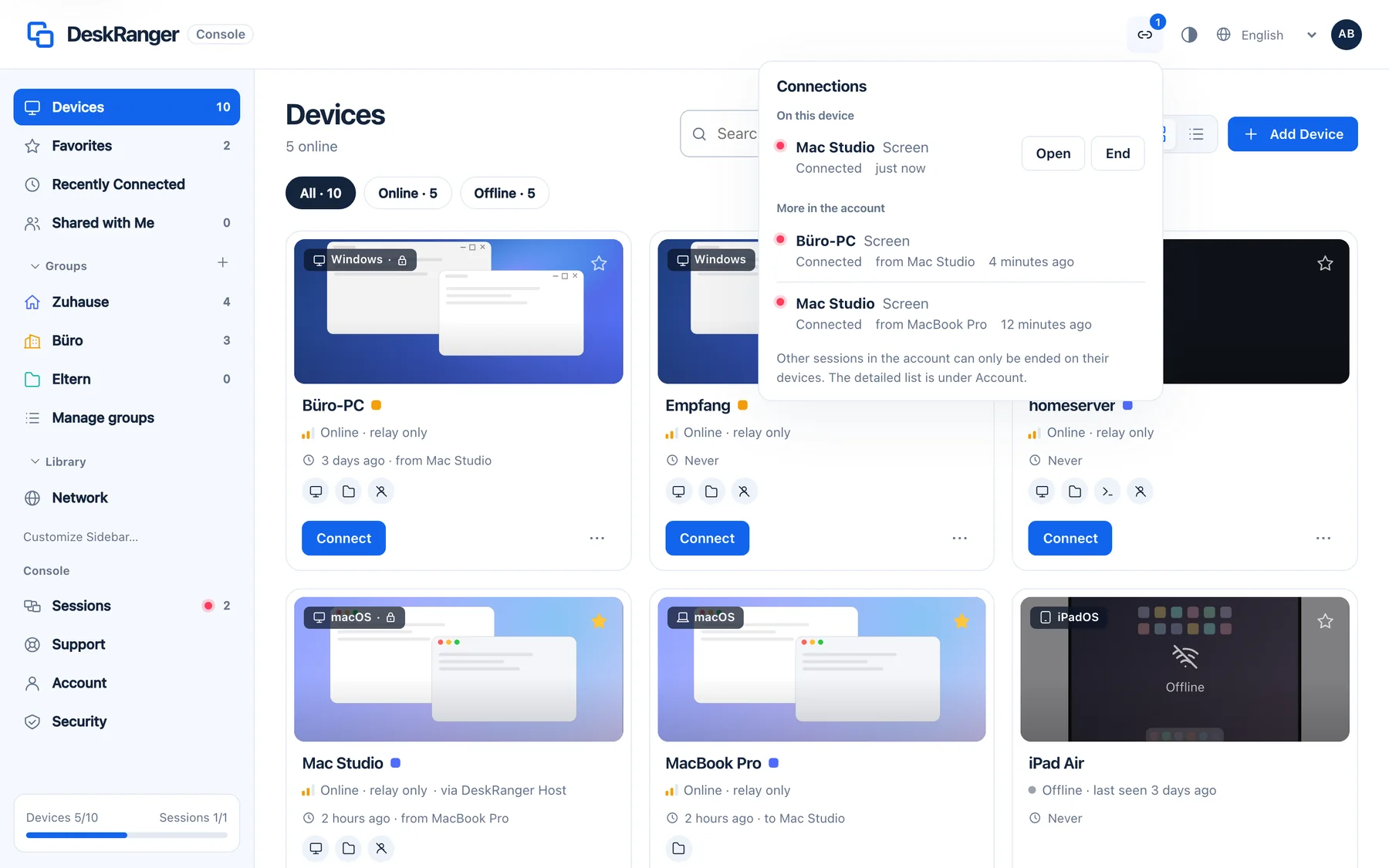
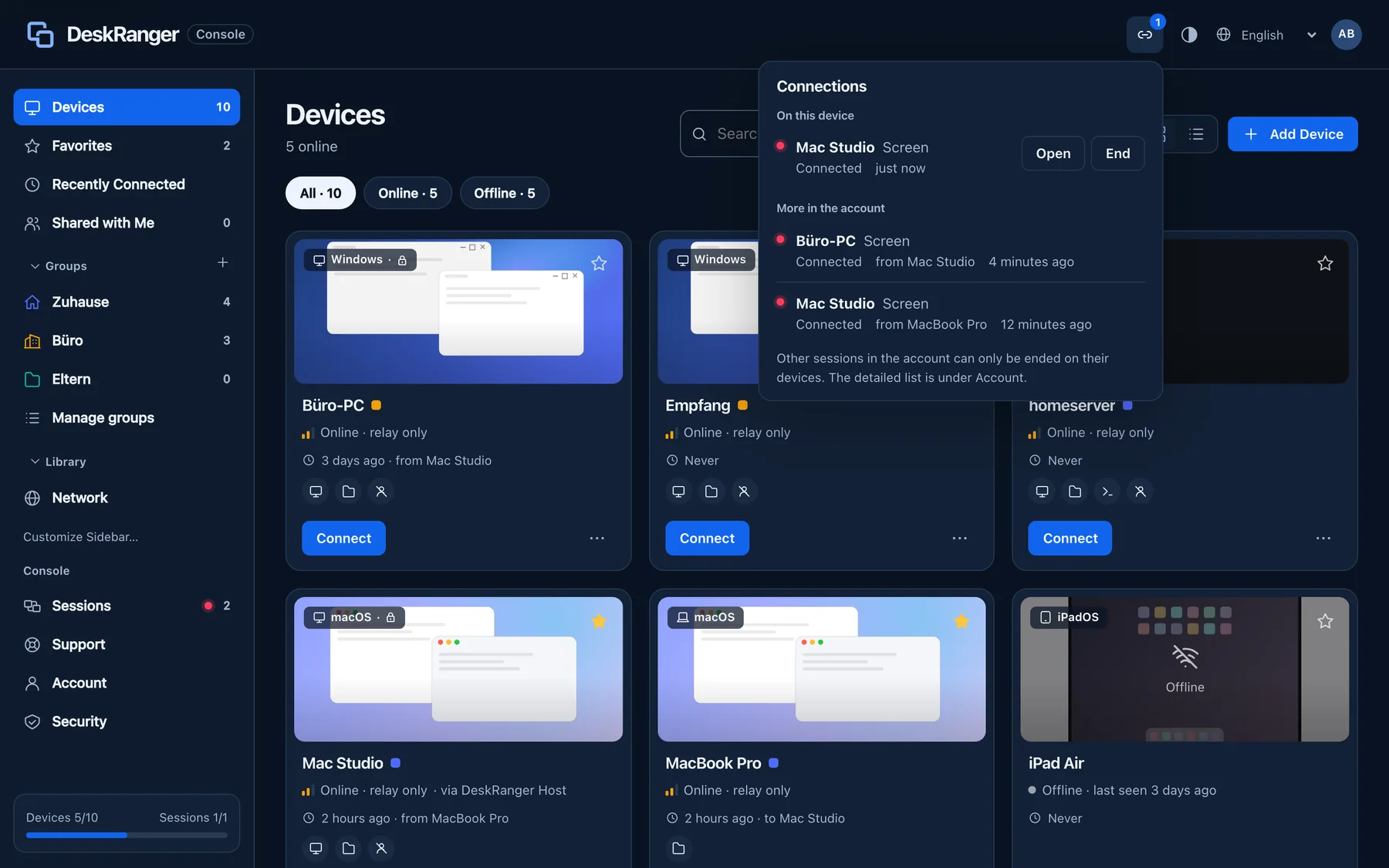
In the web console the icon sits in the top bar. It shows two groups: this browser's sessions and the rest of the account. Nobody can view a browser, so „Bei mir verbunden“ is missing.

The “Connections” list in the web console: on this device one session of this browser with “Open” and “End”, plus more sessions in the accountThe “Connections” list in the web console: on this device one session of this browser with “Open” and “End”, plus more sessions in the account

Shown: Browser