Help › Platforms
DeskRanger for macOS
Requirements, editions, permissions and what the Mac can do.
Requirements
macOS 26 or later. DeskRanger lives directly in the Applications folder.
Two editions
- DeskRanger from our website: app and host in one. One switch keeps the Mac reachable before login and while the screen is locked. This edition is available in early access.
- DeskRanger Lite from the Mac App Store is planned. The App Store does not allow a service before login; Lite is therefore only reachable while you are logged in.
Permissions
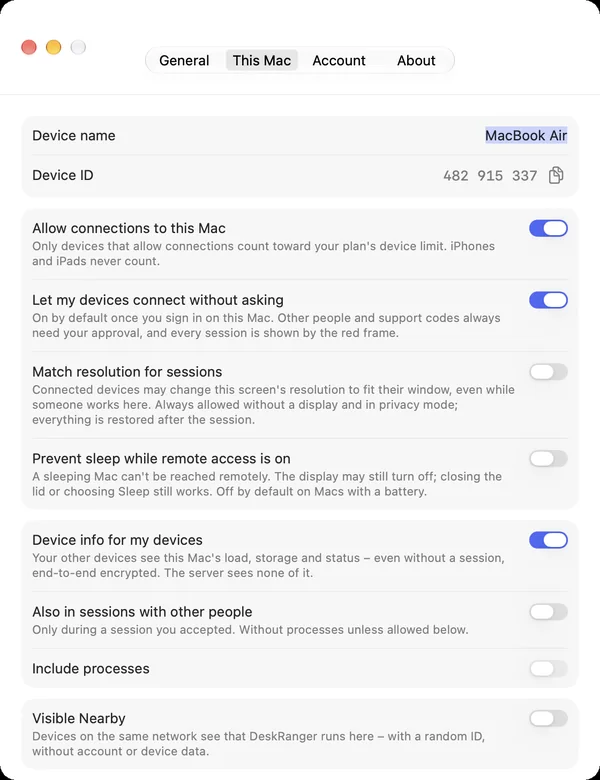
So that others may see and control your Mac, DeskRanger needs Screen Recording and Accessibility in System Settings. From macOS 27 the panes are called Screen & System Audio Recording and Device Control and Data Access. To connect to other devices you need no permissions.
What the Mac can do
| Function | macOS | iPhone & iPad | Web |
|---|---|---|---|
| The session: view, displays, connection | Available | Available | Available |
| Help someone with a support code | Available | Available | Available |
| Transfer files | Available | Available | Planned |
| Share the clipboard | Available | Available | Planned |
| Privacy mode | Available | Available | Planned |
| Device information | Available | Available | Available |